


- What is Video Transcoding?
- How Does Video Transcoding Work
- 1. Decode the Input
- 2. Process the Raw Video
- 3. Re-Encode to Target Formats
- Key Factors that Impact Video Transcoding
- Types of Transcoders
- Hardware Transcoders
- Software Transcoders
- Video Transcoding Trade-Offs
- Cost
- Time
- Quality
- Why Transcoding is Important for Video Streaming
- Local vs. Cloud Transcoding
- Why the Streaming Industry Needs Transcoding
Video streaming only works as well as the formats you deliver, and today’s audiences watch on everything—from 4K TVs and laptops to mid-range Android phones on shaky mobile networks. One single video version cannot serve all these requirements, and that’s the gap video transcoding fills. It turns already-encoded video into the formats, resolutions, and bitrates that are necessary to get smooth, compatible, low-buffer playback worldwide. In this guide, we’ll explain what video transcoding is, how it works, and why every good streaming workflow depends on it.
What is Video Transcoding?
Transcoding is the conversion of a compressed video (or audio) file into a new compressed version with different properties like codec, resolution, bitrate, frame rate, or all these at once. In the video transcoding, you decode the original media file, apply the required changes, and re-encode the output.
It’s a digital-to-digital transfer used whenever the original file is not right for delivery: too large, has the wrong codec, or is incompatible with the viewer’s device or bandwidth. For example, you can stream the same Netflix or Hulu shows on both desktop and mobile thanks to video transcoding. It handles all media changes needed to stream a video on different devices.
A few related terms matter here:
- Transrating – Adjusts bitrate only.
- Transizing / Image Scaling – Changes resolution.
- Transmuxing – Repacks the file into a new container without affecting the encoded audio/video.
Transcoding opens the video, modifies the contents, and re-compresses it. Transmuxing only repackages the outer box.
How Does Video Transcoding Work
Although transcoding systems look different—FFmpeg on a laptop, a hardware encoder in a rack, or a cloud service—the core workflow is the same:
1. Decode the Input
The transcoder must understand the container (MP4, TS, MOV, etc.) and the codec (H.264, HEVC, AV1, VP9). It extracts the compressed video bitstream and reconstructs raw, uncompressed frames.
2. Process the Raw Video
That’s where scaling, filtering, and visual cleanup happen. Based on your media configuration, the transcoder may:
- Resize the frame into an output ladder (1080p → 720p → 480p → 360p).
- Denoise, sharpen, and do color adjustments.
- Insert graphics, watermarks, or overlays.
3. Re-Encode to Target Formats
In the end, the video transcoder compresses all processed outputs into the specified codec, bitrate, and file/container format such as MP4, TS, fMP4, or whatever your delivery chain requires. The final files or segments then move into the packaging step (HLS, DASH, etc.). This decode-process-encode pipeline takes massive compute resources. High-resolution or next-gen codec workloads (especially AV1 or HEVC) can only be performed on PC with a powerful CPU or GPU, and that’s why many operations are done on servers or cloud transcoders.
Key Factors that Impact Video Transcoding
Many parameters affect how long a transcode takes, the money it costs, and the quality of the output video. These are a few factors that impact video transcoding:
- Resolution: How many pixels must be processed? HD resolutions increase the compute load and generate large output files, and multiple resolutions output multiply that cost.
- Bitrate: How much data can every rendition use? Higher bitrates improve quality up to a point, but increase storage and delivery budget. The bitrate ladder for ABR streaming is one of the top cost drivers in any workflow.
- Codec Choice: Newer codecs—HEVC, AV1—compress better than H.264 or VP9, but they require more hardware power and time. A codec choice is always a trade-off between compression quality and encoding complexity.
- Rate Control Mode: How bits get spread across the video? Modes such as CBR, VBR, and CRF have different effects on stability, predictability, and quality. Tweaking this properly can keep the file size small without video quality damage.
- Pre/Post-Processing: Processing filters like scaling, denoising, sharpening, and motion interpolation affect quality and encoding time. The heavier the filters you use, the more it needs time and processing power.
Types of Transcoders
Video transcoders fall into two camps: hardware & software-based. Both get you the job done, but they are quite different in a real-world streaming system.
Hardware Transcoders
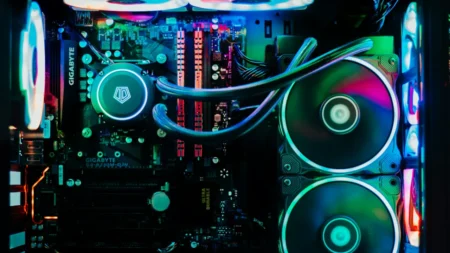
Hardware transcoders rely on dedicated silicon like ASICs, FPGAs, or custom boards built specifically for video compression. Because the encoding logic is embedded directly into the hardware, these systems deliver tremendous throughput. Broadcasters use hardware transcoders when they process a large number of channels in a flow or when their workflows can’t tolerate unpredictable latency.
The downside, though, is that these transcoders aren’t that flexible. Hardware encoders are tightly optimized around the algorithms they ship with. If you later want to adopt a more effective scaling filter or a new codec profile, you can’t update and expect the hardware to support it. Once the architecture is set, it can’t be changed again. Hardware is good for environments where stability, throughput, and low latency are more important than future customization.
Software Transcoders
Software transcoders—FFmpeg-based pipelines, commercial encoding suites, cloud platforms—take a different approach. They operate through general-purpose compute, which means they can run them on anything, like an on-prem server, a laptop, or a cloud cluster that scales as your workload spikes. As everything is software-based, you can adjust new codecs, patch bugs, tweak rate-control strategies, and iterate on quality.
The flexibility comes with computational cost. Raw CPU-dependent transcoding eats processing power and usually requires a good investment for hardware acceleration or cloud computing to maintain fast turnaround. For most OTT platforms, the trade-off is worth it because software transcoders evolve quickly and allow teams to improve their encoding ladders to match new devices and network conditions.
Video Transcoding Trade-Offs
There are a few concerns we also need to keep track of in video transcoding. Every decision you make during the process affects the other two variables. That’s why engineers spend a long time in order to balance out below factors.
Cost
Encoding costs increase with the amount of work your transcoder must perform. High-density live workflows, large output chains, or computationally heavy codecs (like AV1) increase resource requirements. Whether you operate your own servers or run completely in the cloud, high throughput and more complex outputs mean more money to spend. To keep the budget in line, you have to adjust bitrate ladders, tune presets, or choose codecs that make economic sense for the distribution footprint you have.
Time
Transcoding time is a direct function of the workload complexity. A simple H.264 encode at a single resolution moves fast. A transcoded video with slow presets, noise reduction, and scaling filters applied takes a lot of time. Codecs also matter—AV1 delivers excellent compression, but the encoding stage is much slower than H.264 unless you have hardware overclocked. When teams need quick turnaround (live clipping, just-in-time packaging, fast VOD publishing), they normally abandon encode complexity to meet deadlines.
Quality
Quality depends on a combination of codec, bitrate, rate control strategy, scaling algorithms, and preprocessing. Two transcoders working at the same bitrate can produce completely different results, and it depends on how they control motion complexity, grain retention, or fine detail. Achieving high visual quality at low bitrates requires slow presets, more intelligent filtering, and the right balance between compression and artifact avoidance. The better the quality target, the more time and processing cost you commit.
Why Transcoding is Important for Video Streaming
- Adaptive Bitrate Streaming: ABR is built on the concept that multiple versions of the same video must exist at different resolutions and bitrates. Without them, the player has nothing to switch between when network conditions fluctuate. Transcoding generates that complete ladder, which makes ABR possible and ensures that every viewer receives a video version that relates to their real-time bandwidth.
- Device Compatibility: No single file can satisfy the codec, profile, and resolution requirements of every device in the market. TVs, browsers, mobile OS versions, and set-top boxes all support different abilities. Transcoding creates versions that align with these tech so the stream can play everywhere without relying on the lowest common denominator.
- Buffer-Free Playback: Stable streaming depends on the player’s ability to drop to a small rendition when bandwidth dips and return to a higher one when conditions improve. These fallbacks exist thanks to the transcoding that generates them. Without it, buffering will happen whenever network performance changes.
- Reduced Distribution and Storage Costs: Smaller, well-compressed renditions reduce CDN egress fees, storage costs, and viewer battery consumption. Better compression, right bitrate, and content-adaptive encoding all shrink file sizes without harming video quality. Small output results in low CDN bills, less storage overhead, and minimum power use on both the service and viewer end.
- Live Streaming Requirements: Live workflows also require transcoding, but they increase the stakes. Renditions must be produced in real time, which increases compute load and introduces extra latency. Even with these concerns, live ABR cannot work if there’s no transcoding because the audience needs multiple versions due to their bandwidth and device constraints.
Local vs. Cloud Transcoding
Local transcoding runs on your own hardware—editing workstations, on-prem servers, or dedicated appliances. It gives complete control over the environment and is best when content can’t leave the facility or when the workload is relatively small and predictable. The limitation is scalability; capacity is fixed, and expansions require more hardware.
Cloud-based transcoding transfers the full workload to a remote infrastructure built to scale. It removes the need for PC hardware, allows workloads to expand or shrink as needed, and handles parallel tasks far more perfectly than most local setups. For large libraries, OTT platforms, and events with unpredictable audience sizes, cloud transcoding provides the flexibility and output that today’s modern streaming services demand.
Why the Streaming Industry Needs Transcoding
Modern streaming is built on three promises:
- Play everywhere
- Look good everywhere
- Load smoothly everywhere
Transcoding makes all three possible by generating the diverse output formats, bitrates, and codecs a global audience requires. To reduce bandwidth costs to support new playback devices, from ABR support to sustained high-quality low-bitrate streaming, video transcoding is what keeps streaming services performant, compatible, and cost-effective at scale.