
Close Menu
Technical Master – Expert Tech News, Insights & How-Tos
    Facebook X (Twitter) Instagram Vimeo YouTube SoundCloud
    Technical Master – Expert Tech News, Insights & How-TosTechnical Master – Expert Tech News, Insights & How-Tos
    • How To
    • Reviews
    • Gaming
      • Call of Duty
      • Fortnite
      • Helldivers 2
      • Minecraft
      • Remnant 2
      • Cross-Platform
      • PlayStation
      • Xbox
    • PCs & Components
      • Peripherals
      • CPUs
      • GPUs
    • AI
    • More
      • Cybersecurity
      • iPhones
      • Laptops
      • Mobile Phones
      • Social Media
      • Streaming
      • Windows
    • Contribute
    Technical Master – Expert Tech News, Insights & How-Tos
    Home / Laptops / Razer Launches $130 Laptop Sleeve With Built-In Wireless Charging, and Somehow No RGB
    Laptops

    Razer Launches $130 Laptop Sleeve With Built-In Wireless Charging, and Somehow No RGB

    The only thing missing is Chroma RGB, but your phone battery won't mind.
    By Joshua Griffin4 minutes agoUpdated:2 minutes ago3 Mins Read
    Share Facebook Twitter Pinterest LinkedIn Reddit Telegram WhatsApp Email Threads Copy Link
    Close-up of the Razer 16-inch Laptop Sleeve with a phone and laptop beside it.
    Image Credit: Razor

    Razer has officially entered the “over-engineered office supplies” phase of its brand. The company today announced a new 16-inch laptop sleeve in two different variants: a basic $80 version and a $130 tech-heavy model that turns your protective pouch into a makeshift charging station and integrates dual wireless charging pads into the front flap.

    At the entry level, $80 gets you what Razer calls a “tactical” polyester sleeve. The model is a sturdy, well-stitched bag with a microfiber lining to protect your laptop from scratches. It’s clean, surprisingly devoid of the typical neon-green snakes, and features a magnetic flap.

    The magnetic flap seems to have some hard material underneath the fabric, so it’s not flimsy. It’s a nice sleeve, but at the cost, you pay a premium for the brand’s reinforcement and the fact that it doesn’t look like a gamer cliché.
    Razor Laptop Sleeve 16
    Image Credit: Razor

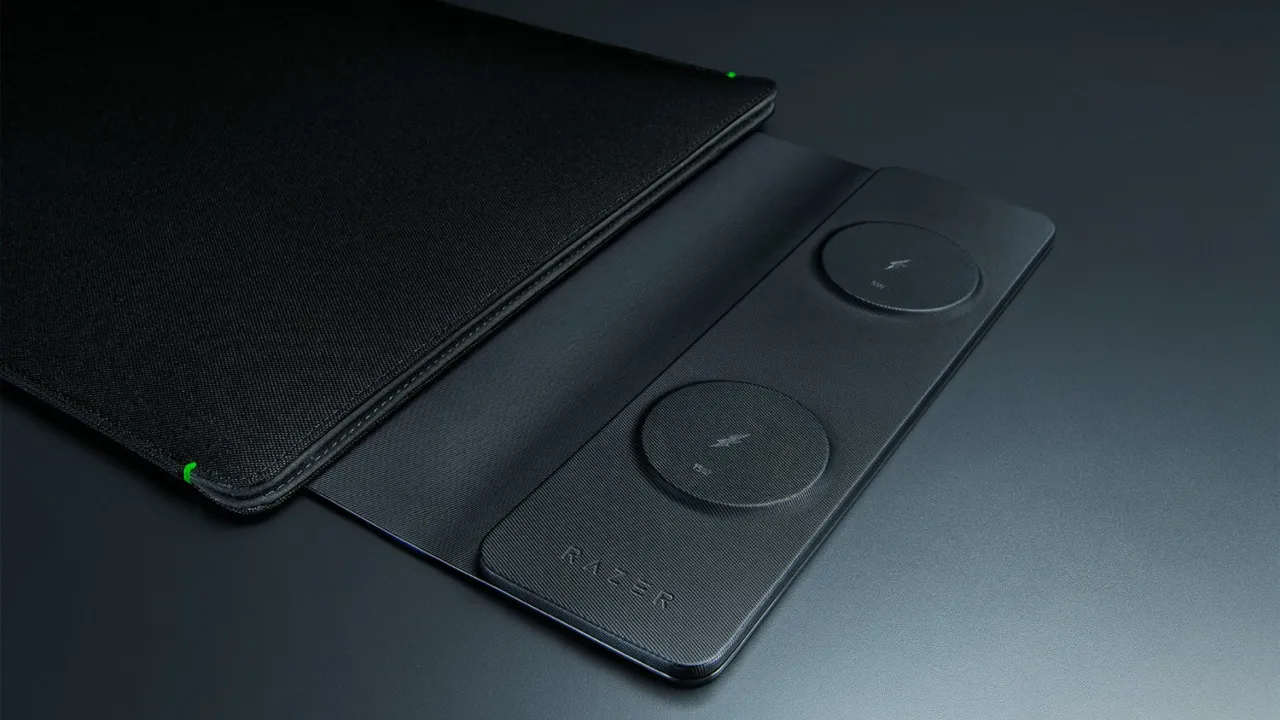
    The $130 version is where Razer’s actual pitch lives. That same flap houses two wireless charging pads — one on top that can charge at up to 15W and one on the bottom capped at 5W. A USB-C cable connects the flap to the laptop, which works as the power source.

    RELATED
    How to Fix No Battery Is Detected on Laptop
    How to Fix No Battery Is Detected on Your Laptop
    Gaming laptop image with charger connected
    How to Keep Your Gaming Laptop Battery from Exploding
    The Best Display Resolution for Gaming Laptop
    What is the Best Display Resolution for a Gaming Laptop?

    No internal battery means no extra weight, a smart way to charge your phone and another device without packing a separate wireless charger in your bag. It’s an all-in-one desk setup for the digital nomad who wants to occupy as much table space at Starbucks as possible. Set the sleeve down, flip out the flap, and the devices charge off your notebook.
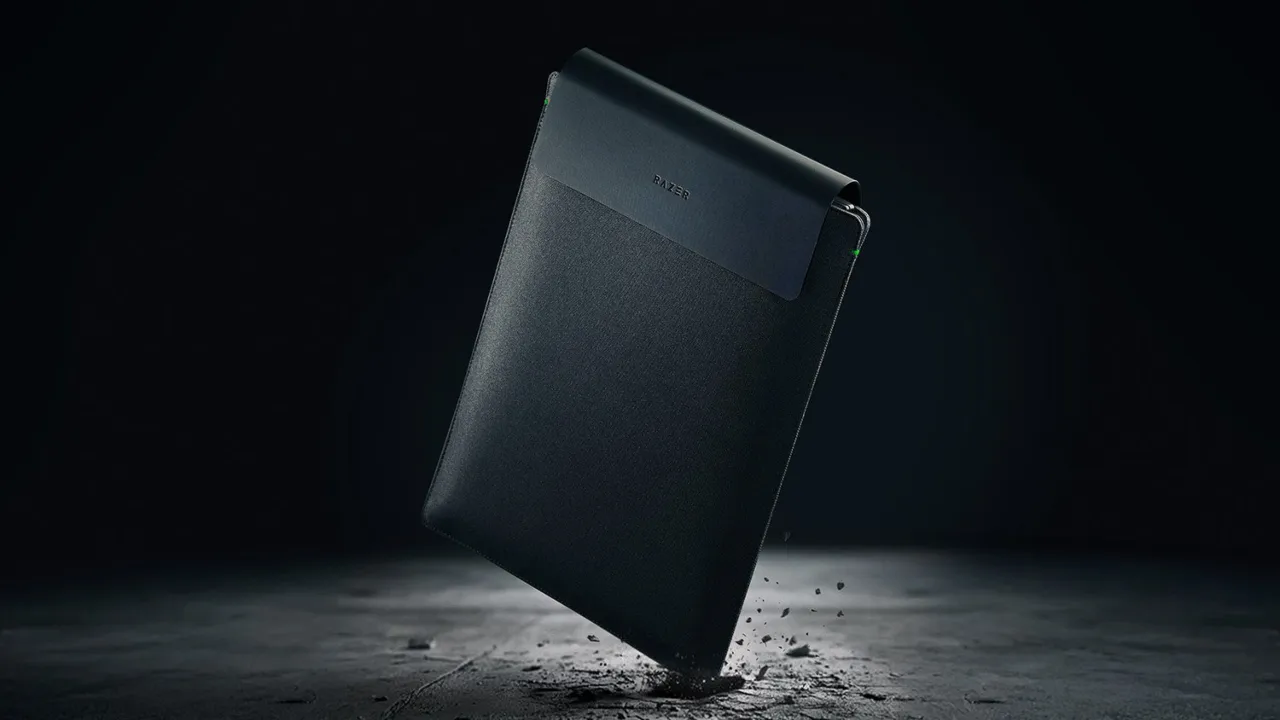
    Razer’s New 16-inch Laptop Sleeve
    Image Credit: Razor

    In a shocking turn of events, there’s zero RGB lighting in the new gadget. For a company that once put LEDs on a toaster, releasing a $130 sleeve with no customizable glow feels like a glitch in the Matrix. Razer has introduced green accent dots near the flap that look like LEDs, but are just decorative fabric.

    This is a niche product for the brand fans who want a stealth aesthetic. If you have a 16-inch Blade, the $130 price tag probably won’t scare you off, but for others, $50 for a built-in cable and some coils is a big ask when you still need a separate power source. Both laptop sleeves with and without wireless charging are available to purchase through Razer’s website.


    Support Technical Master and add us as your preferred source on Google.

    Add Source
    Follow Us on Google News Follow Us on Flipboard
    Joshua Griffin

    Joshua Griffin is a PC hardware editor at Technical Master who lives and breathes custom builds. He builds custom rigs, tests every component that matters, and knows exactly what works and what doesn't. GPUs, CPUs, performance tweaks—he has done the hands-on work so you don't have to guess. Beside writing and benchmark sessions, he works directly with gamers and content creators and helps them build systems that match their workload and budget.

    Related Posts
    A person holding a newly unboxed smartphone while receiving an incoming call from a spoofed carrier number.
    Beware, Scammers are Calling to ‘Fix’ Your New Phone Delivery, Don’t Fall for It
    Mobile Phones
    All CSGO Dust 2 Callouts
    All CS:GO Dust 2 Callouts: Full Map Locations
    Gaming
    How to Solve the Postulant’s Parlor Chessboard Puzzle - Remnant 2
    How to Solve the Postulant’s Parlor Chess Puzzle in Remnant 2
    Remnant 2
    Phil Spencer speaking at Xbox event.
    Phil Spencer Retires After 38 Years as Microsoft Hands Xbox to AI Executive
    Xbox
    AMD Zen 6 Ryzen processor concept image showing 12 core chiplet design.
    AMD’s Zen 6 Ryzen 10000 Desktop Chips Tipped to Scale Up to 24 Cores as Core War Heats Up
    PCs & Components
    An AI agent at the center of a live API network, with red-pulsing warning signs on the most exposed endpoints, animated data packets flowing through the connections, and key stats.
    Sam Altman Says Every Company is an API Company, as Wallarm’s Reports APIs are the Front Line as AI Agents Drive New Security Risks
    Cybersecurity

    When you buy anything through links on our site, we may earn an affiliate commission. Learn more

    Trending Now

    All CS:GO Dust 2 Callouts: Full Map Locations

    How to Get Stone of Malevolence in Remnant 2

    How to Solve the Postulant’s Parlor Chess Puzzle in Remnant 2

    How to Switch to Bluesky from Twitter

    Remnant 2 Council Chamber Guide: Dungeon Puzzle and Secret

    How to Change Your DNS Server on Windows and Mac

    Technical Master – Expert Tech News, Insights & How-Tos
    Facebook X (Twitter) Instagram YouTube Vimeo SoundCloud
    • About Us
    • Privacy Policy
    • Terms of Use
    • Editorial Ethics & Guidelines
    • Contact Us
    • Write for Us
    © 2026 Technical Master, Inc. All Rights Reserved.

    Type above and press Enter to search. Press Esc to cancel.