







You put your phone on charge, walk away for 20 minutes, come back, and it’s hot enough that you don’t want to hold it. That’s not normal, and it’s not something to ignore. Every phone warms up a little during charging, but when it gets too hot to carry comfortably, throttles performance, flashes an overheating warning, or keeps interrupting the charging cycle, it’s a problem that needs to be fixed.
- Why Does My Phone Overheat When Charging?
- 1. Fast Charging Creates More Heat
- 2. Using Your Phone While It Charges
- 3. Poor Ventilation Traps Heat
- 4. Damaged or Low-Quality Charging Cables
- 5. Background Apps Drain and Heat
- 6. Extreme Ambient Temperatures
- 7. Battery Degradation Over Time
- 8. Software Bugs or Malware
- 9. Wireless Charging Inefficiency
- 10. Outdated Phone Hardware
- The Real Damage Chronic Overheating Does to Your Phone
- How to Cool Down a Hot Phone: 11 Ways to Stop It From Overheating When Charging
- 1. Remove the Phone Case During Charge
- 2. Switch to Slow Charging Speeds
- 3. Keep the Phone on a Hard, Cool Surface
- 4. Close Background Apps and Features
- 5. Use Original or Certified Chargers
- 6. Check for Software Updates
- 7. Identify and Remove Problematic Apps
- 8. Don’t Charge in Hot Environments
- 9. Replace Battery When Necessary
- 10. Enable Battery Optimization Settings
- 11. Factory Reset When Nothing Else Works
- When to Take It to a Repair Shop
- Safe vs. Dangerous Phone Charging Temperatures
- Frequently Asked Questions
- Is it normal for my phone to get hot while charging?
- Does wireless charging make phones hotter than wired charging?
- Can an overheated phone cause a fire when charging?
- Is it better to charge from 20% to 80% instead of 0% to 100%?
- Why does my phone get hot while charging, even when the battery is at 100%?
When you plug in, energy flows from the outlet to the battery through a chemical reaction. That process wastes some energy as heat — simple physics. But when the phone generates excessive heat, it means either the hardware is straining harder than it should, or something is trapping the heat inside so it can’t escape. This guide explains every reason your phone overheats while charging and how to fix it.
Why Does My Phone Overheat When Charging?
The heat your phone generates while charging is a side effect of how lithium-ion batteries work. They’re not perfect, and some energy turns into heat. But how much? That’s not set in stone. Many factors can force the device to get way hotter than it should.
1. Fast Charging Creates More Heat
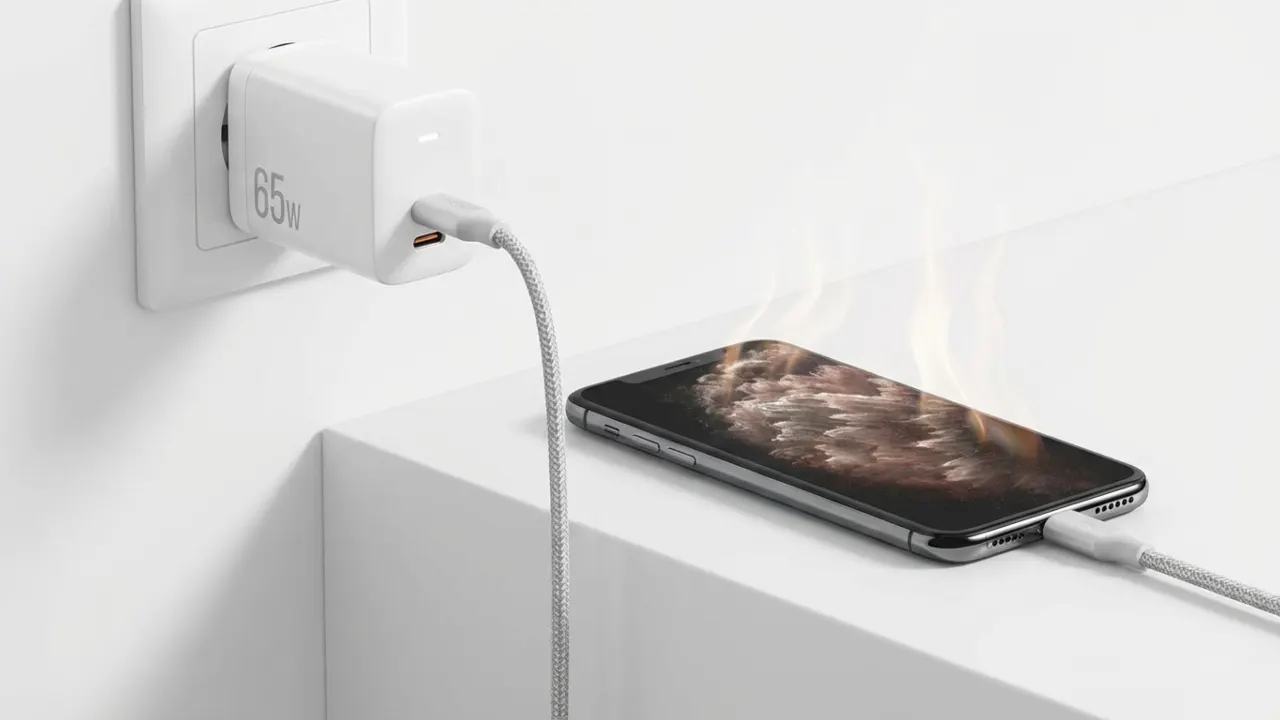
Fast charging delivers more power to the phone battery in less time, which produces more heat than a normal charge cycle. A 65W or 100W charger might fill the battery in 30 minutes, but that speed comes with thermal consequences. Manufacturers build in thermal management, but more power equals more heat. You’ll notice your phone gets hottest during the first 50–80% when fast charging is most active.
2. Using Your Phone While It Charges
Using your phone when plugged in — scrolling, gaming, or video calling — strains both the processor and screen at the same time the battery is charging. This dual energy demand creates heat buildup from two sources simultaneously. Techs call this a parasitic load: you demand power from the battery the exact moment it’s trying to store it. The screen alone generates massive heat, and adding charging to the mix, the phone’s thermal system reaches maximum capacity. Heavy apps like mobile games or video editing make it even worse. Want to charge fast and keep things cool? Put the phone down and leave it alone.
3. Poor Ventilation Traps Heat

Charging a phone under a pillow, in a thick case, or on a soft surface like a bed won’t let the heat escape. Heat needs somewhere to go, and when airflow is blocked, it turns the device into a small oven. Phone cases, especially thick ones made from insulating materials, act like blankets. Even quality cases can trap heat during intensive charging sessions. The phone’s metal or glass body is built to dissipate heat, and covering it defeats that purpose.
4. Damaged or Low-Quality Charging Cables
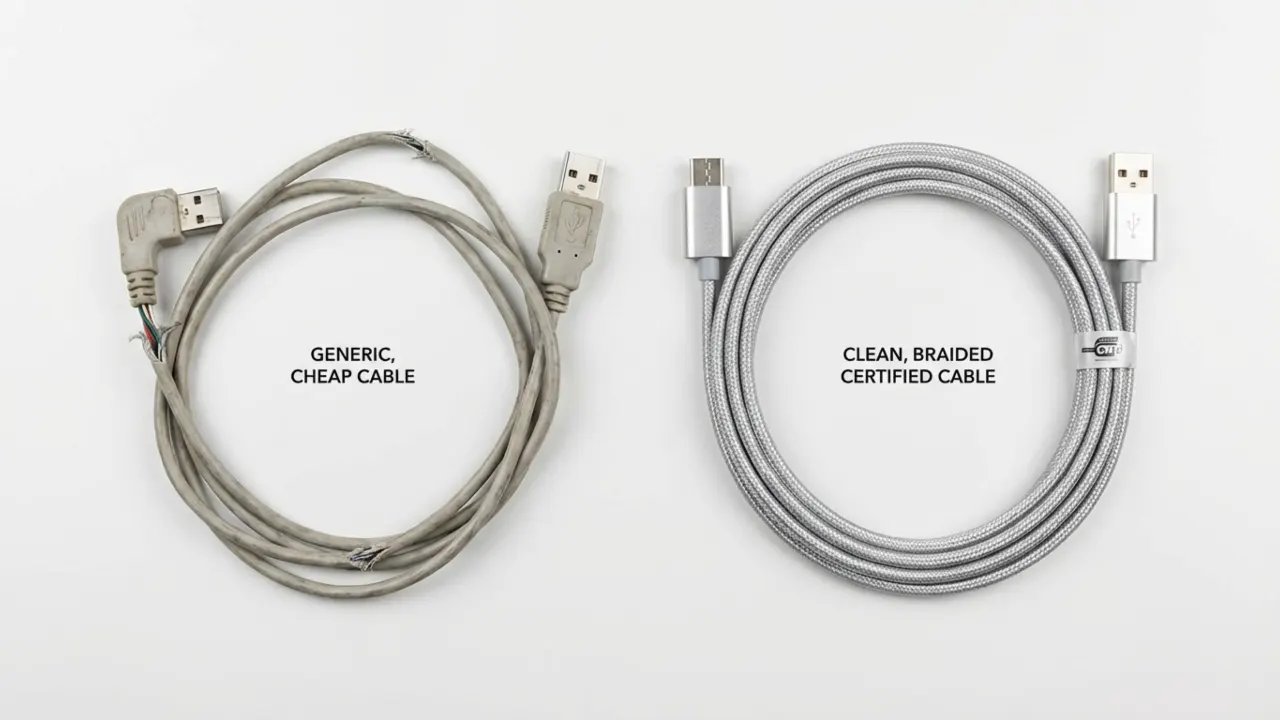
A frayed cable or a cheap knockoff charger causes irregular power delivery, which creates resistance in the charging circuit, and resistance converts to heat. I’ve seen countless people’s phones overheat because they bought a cheap $3-$5 cable from a gas station. These cords often lack proper voltage regulation and deliver inconsistent power that stresses the charging system.
5. Background Apps Drain and Heat
Your phone is already fighting an uphill battle against heat while plugged in, and background apps add fuel to the fire. Social media apps continuously ping servers, refresh feeds, and check for notifications. On top of that, automatic software updates and cloud storage sync force the processor to work overtime. Since the battery is already generating heat from the charge, this extra workload makes the temperature skyrocket.
6. Extreme Ambient Temperatures
Charging in a hot car, direct sunlight, or a warm room makes things worse because external heat adds to the existing load. Batteries hate high temperatures — anything above 95°F (35°C) can cause excessive heating. Cold weather makes the cells work extra hard to accept power, but it usually slows down charge speed rather than overheating.
7. Battery Degradation Over Time
When a battery degrades, its internal resistance rises. More resistance means more heat when you charge it. That’s exactly why the phone feels hotter now than it did two years ago, even though you charge it the same way. Most lithium batteries start to wear down after 300–500 charge cycles. By year two or three, expect noticeably warmer charging sessions.
8. Software Bugs or Malware
Buggy software or a malicious app can spike the processor for no reason, creating heat while you charge. A rogue app might run nonstop background processes so your phone never enters low-power mode. The operating system can also be the culprit — corrupted system files or a problematic update can lead to abnormal processor behavior that yields excess heat. The tricky part is these apps often aren’t visible in the normal app drawer, and on Android, you first need to know how to find hidden apps to track down what’s silently running your processor into the ground.
9. Wireless Charging Inefficiency
Wireless charging wastes energy, with about 20–30% of the power lost during transfer. That missing energy turns into heat inside the phone and the charging pad. Alignment matters too because when the device sits even slightly off-center on the pad, efficiency further drops. More wasted energy equals extra heat.
10. Outdated Phone Hardware
Old phones weren’t manufactured for the heat that modern fast chargers release. Devices from 4–5 years ago lack the hardware that modern smartphones use to stay cool, like vapor chambers or graphite sheets that pull heat away from the battery. The sensors are older, too, and aren’t accurate enough to throttle power before things go wrong.
The Real Damage Chronic Overheating Does to Your Phone

If your phone keeps getting hot while charging, it can have serious consequences in the short and long run. A little warmth is okay, but too much heat can damage the device and reduce its lifespan.
- Accelerated Battery Degradation: Continuous heat exposure kills the battery faster than anything else. A battery that regularly charges at high temperatures can lose 30–40% of its maximum capacity within a year, compared to the normal 10–15% loss. Heat accelerates the chemical reactions inside lithium-ion cells that result in permanent degradation.
- Reduced Overall Phone Performance: Chronic overheating forces your phone into thermal throttling mode more frequently. The processor slows to reduce heat, which leads to laggy performance, slow app loading, and choppy gameplay. Over time, regular heat exposure can impact internal components beyond just the battery.
- Permanent Hardware Damage: Heat can fry the device’s logic board, display, or other crucial hardware components. I’ve dealt with many phones where prolonged overheating caused the screen to discolor, touch sensitivity issues, and even complete motherboard failure. Fixing these problems often costs more than buying a used replacement phone. If you’re an iPhone user and see sluggish performance alongside the heat, the iPhone overheating guide in detail talks about the hardware and software reasons for Apple devices and what to do before the damage becomes permanent.
- Safety Risks: Extreme heat causes batteries to swell. When that happens, you’ll notice a bulge on the back panel or the screen starting to lift. A swollen battery can catch fire or rupture in rare cases. Most catastrophic failures happen when phones are left charging overnight under pillows, or when people keep using devices with already damaged batteries.
- Short Phone Lifespan: Your phone won’t last as long as it should. Components wear out fast under sustained heat. The battery becomes unreliable. You’ll need a new replacement device one to two years sooner than you would otherwise, $500-1000 down the drain because of a preventable problem.
How to Cool Down a Hot Phone: 11 Ways to Stop It From Overheating When Charging
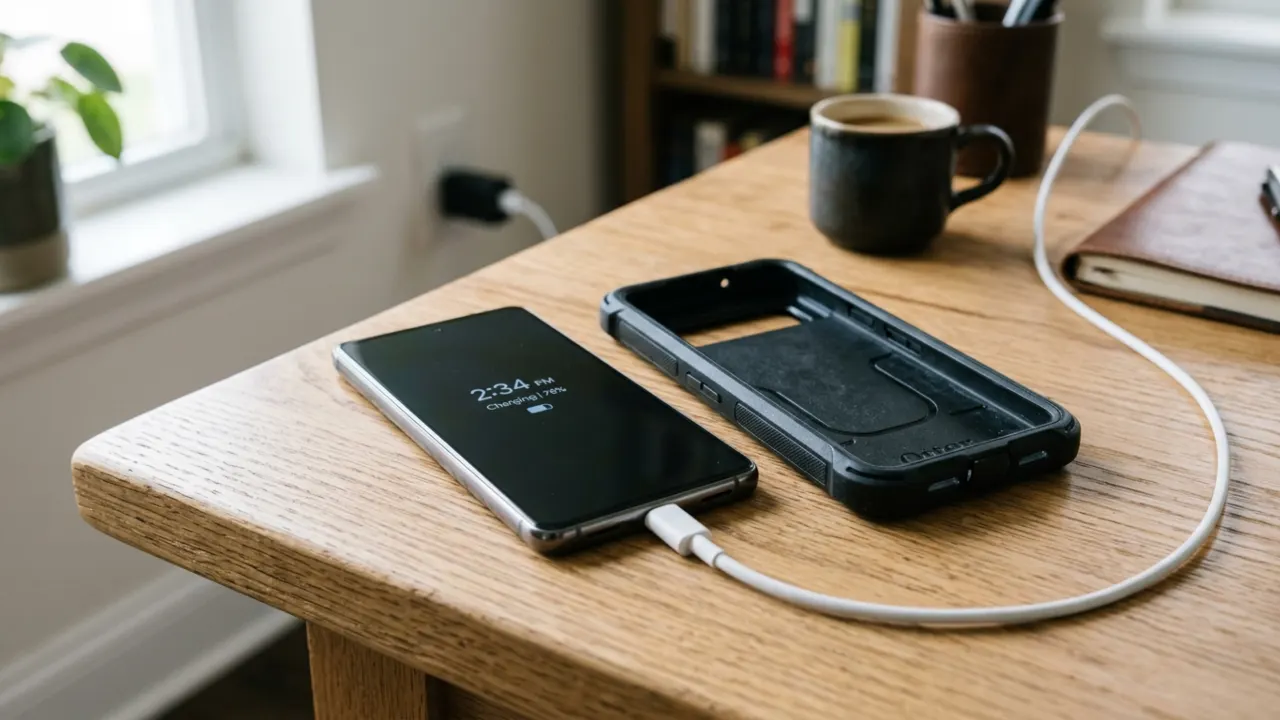
1. Remove the Phone Case During Charge
A phone case traps heat like a winter jacket. Take it off before you charge, especially if you use fast charging. Silicone, rubber, and thick plastic cases create an insulating barrier that keeps heat locked against the back of the device. Without the case, the glass or metal back can dissipate thermal buildup into the air. Do this the second you notice the device getting too warm.
2. Switch to Slow Charging Speeds
Fast charging sounds great until you realize what it does to the battery over time. Swap that 65W brick for a basic 10W or 18W charger for regular top-ups. Save the speed boost for emergencies when you actually need instant juice, and your battery will thank you in the long run. Low wattage means less heat and gentler stress on the battery chemistry, which extends its overall lifespan.
3. Keep the Phone on a Hard, Cool Surface
Always charge in a cool, shaded area. Placing the phone on a hard, flat surface like a wooden desk or nightstand is much better than a bed or sofa, as soft fabrics further insulate the device. Wood and metal surfaces help draw heat away from the phone. Keep it out of direct sunlight and far from warm spots like near a stove or heating vent.
4. Close Background Apps and Features
Heat doesn’t always come from the charger. Sometimes your phone works overtime, but you don’t know about it. Cloud photo syncs, software updates, and background apps keep the processor busy and hot. Check battery settings to see which apps are draining power. Turn off Bluetooth, GPS, and Wi-Fi if you’re not using them, or better yet, toggle on Airplane Mode to cut all wireless radios and stop background data from taxing the hardware.
If background app activity is a recurring problem on Android, it’s worth understanding how apps behave in the background. This guide on how to stop Android apps from leaking your data explains the exact settings that control what apps can do when you’re not watching; many of the same toggles that reduce overheating.
5. Use Original or Certified Chargers
Discount cables and uncertified power bricks skip important safety features and lack proper power management chips. They deliver inconsistent power that can damage the battery over time. Stick with what came in the box or buy certified replacements from trusted brands. Use MFi-certified accessories for iPhones and USB-IF certified ones for Android devices. Yes, they cost more than generic options, but licensed chargers include voltage regulation and thermal protection to keep your phone safe.
If your phone isn’t just overheating but has stopped charging, the problem might be beyond the charger. Our Android phone not charging fix guide addresses port issues, cable faults, and software-related charging bugs.
6. Check for Software Updates
Software bugs can trigger runaway processes that max out the CPU for no clear reason. Manufacturers release patches that optimize battery management and improve thermal control, so you should regularly check for new updates. On Android, go to Settings → System → Software Update. On iPhone, navigate to Settings → General → Software Update. Set your phone to auto update overnight when you’re asleep and don’t use it.
7. Identify and Remove Problematic Apps
A single badly behaved app usually drives all the heat. Poorly coded or compromised software can run processes nonstop even when you haven’t opened it in weeks or months. Here are the signs that a specific app is the problem:
- Phone stays hot when it seems idle (screen off, not in use, but still warm).
- The battery drains unusually fast.
- Phone heats up almost immediately after a specific app is opened.
Check battery usage stats to find the culprit. An app consuming 30–40% of juice in the background is abnormal. On Android, you’re more exposed to malicious apps if you’ve sideloaded anything outside the Play Store. If you suspect malware, run a reputable security scanner like Malwarebytes and consider a factory reset if the problem persists. On iPhone, the closed ecosystem makes malware rare, but buggy apps can still result in serious heat issues.
8. Don’t Charge in Hot Environments
Heat stacks. A warm environment combined with charging heat pushes the device into a problematic range. Common culprits include: charging in a car during summer, plugging in while the phone is under a pillow or blanket, or leaving the phone on a dark surface in direct sunlight during charge.
Lithium-ion batteries operate safely between 0°C and 45°C (32°F to 113°F). Above that upper limit, degradation accelerates, and thermal protection shutdowns can trigger. Charge somewhere with airflow, away from direct heat sources. During summer, charge near a fan or in the coolest room of your home. In winter, keep it away from heaters and radiators.
9. Replace Battery When Necessary
Your phone is 2 or 3 years old and gets hot every time you charge it? Tried everything else? The battery needs to be replaced. It will cost between $50 to $100 for most Android phones, and iPhones charge $69 to $99 at the Apple Store. That’s a fraction of what a new phone costs, and a fresh battery can bring charging temperatures back to normal if degradation was the root cause.
- iPhone users: Go to Settings → Battery → Battery Health & Charging. If the health percentage is under 80%, it’s time to replace. Apple’s Optimized Battery Charging feature (toggle it on in the same menu) also slows charging above 80% to reduce heat, and must be enabled regardless of battery age.
- Android users: Battery health reports vary by manufacturer. Samsung users can check it under Settings → Battery and Device Care → Diagnostics. For other Android brands, the setting may be buried or absent — third-party apps like AccuBattery can estimate health based on your charging data over time. The fragmented nature of Android settings is also why keeping background app activity in check matters even more on Android than on iPhone.
10. Enable Battery Optimization Settings
Most modern phones have built-in battery protection features that limit charging speed or pause at 80% to reduce heat and preserve battery health. You just need to turn them on.
- On iPhone: Settings > Battery > Battery Health & Charging and turn on Enable Optimized Battery Charging.
- On Samsung: Settings > Battery and Device Care > Battery > More Battery Settings and enable the Protect Battery option.
- Other Android: Look in Settings → Battery for options labeled “Adaptive Charging,” “Smart Charging,” or “Charging Optimization.”
These features learn your charging habits and automatically slow down the final 20% of charging, which is particularly useful for late-night charge sessions.
11. Factory Reset When Nothing Else Works
If you’ve tried all the fixes above and the phone still overheats when you charge, something is probably broken at the software level. It could be a corrupted system file, a rogue process that survived app uninstalls, or a misconfigured system setting. A factory reset wipes it all clean.
Back up your data first, including photos, contacts, and app data, then do a full reset:
- On iPhone: Settings → General → Transfer or Reset iPhone → Erase All Content and Settings.
- On Android: Settings → General Management (or System) → Reset → Factory Data Reset.
After the reset, restore your data and monitor the temperature closely. If the phone stays cool, something in the old setup was the culprit — reinstall apps one at a time to catch the troublemaker. Still overheating after a clean reset? That points to a hardware issue such as a bad battery, a damaged charging port, or a fried charging circuit. That’s when you need to reach out for professional help.
On Android, if the reset process gets interrupted or the phone becomes unresponsive mid-process, the guide on how to restart an Android phone without the power button covers alternative ways to force a restart or access recovery mode when normal controls don’t work.
When to Take It to a Repair Shop
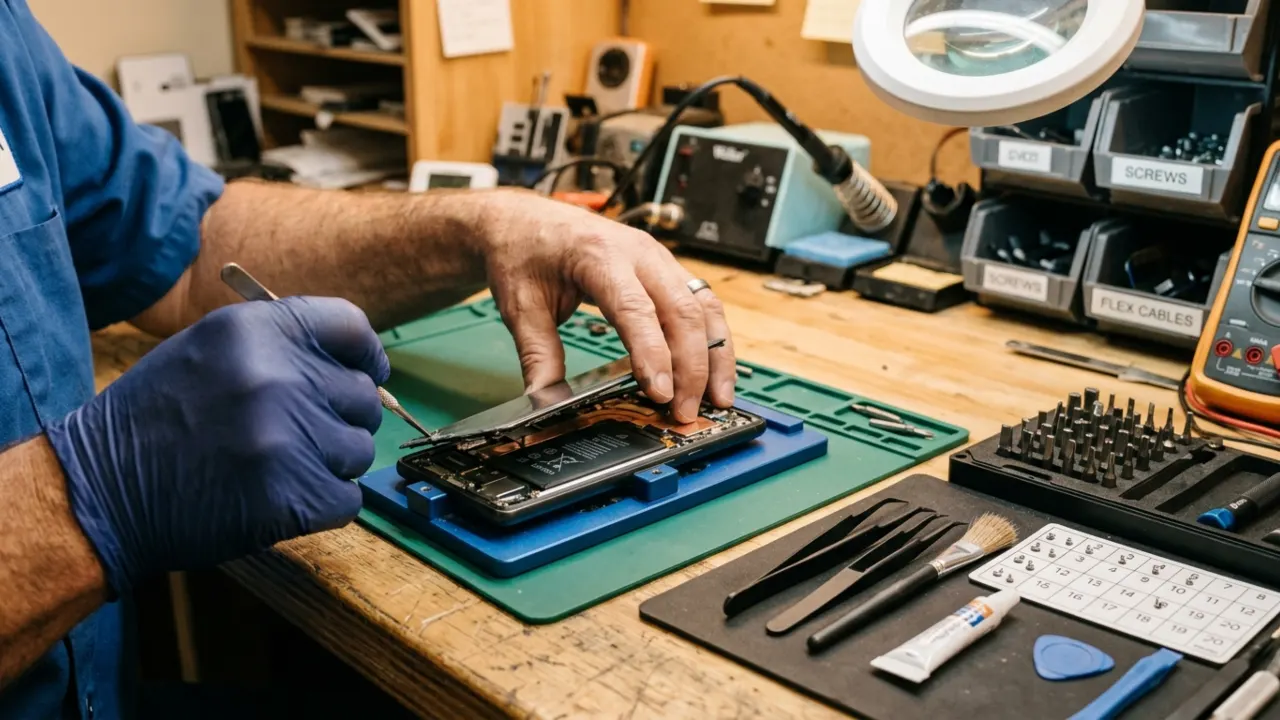
Software fixes and behavioral changes only go so far. Take your phone to a repair technician when:
- The phone shows an overheating warning and shuts down during charging.
- The back gets hot enough that you can’t comfortably hold it.
- The phone won’t charge at all, and runs hot when you try.
- Battery health drops below 80%.
- The charging port feels loose, intermittent, or visibly damaged.
A swollen battery is an emergency. If the back panel looks slightly raised or the screen appears to be lifting away from the frame, stop charging it immediately and get it serviced. Swollen lithium batteries can catch fire or explode. Most repair shops can replace a battery in under an hour for a reasonable price. Apple and Samsung both have official repair programs if you’d prefer the manufacturer’s service.
Safe vs. Dangerous Phone Charging Temperatures
| Ambient Temperature | What Happens During Charging | Risk Level |
|---|---|---|
| Below 20°C / 68°F | Cool, stable charging | Low |
| 20–30°C / 68–86°F | Slight warmth, normal operation | Low |
| 31–35°C / 87–95°F | Phone warms faster, may slow charge speed | Medium |
| 36–40°C / 96–104°F | Noticeable heat, the screen might feel hot | Medium–High |
| Above 40°C / 104°F | Overheating likely, auto-shutdown possible | High |
| Any temp, no airflow | Heat traps regardless of temperature | High |
Frequently Asked Questions
Is it normal for my phone to get hot while charging?
Some warmth is completely normal as lithium-ion batteries generate heat as a byproduct of the charging process. But your phone shouldn’t get extra hot or run slow while charging. But if it gets overheated, that’s a sign something is wrong and needs fixing ASAP to avoid further trouble down the road.
Does wireless charging make phones hotter than wired charging?
Yes, in most cases. Wireless charging is only about 70–80% effective compared to 95%+ for a good wired charger. That 20–30% energy gap is released as heat inside the phone and the charging pad. Poor coil alignment makes it worse. If your phone runs hot on a wireless charger, switch to wired until the underlying issue is resolved.
Can an overheated phone cause a fire when charging?
In extreme cases, yes. Extended heat exposure can seriously damage your device. Internal components break down, and in severe cases, batteries can catch fire. Keep heat sources away from your devices during charging and don’t overcharge them. These two simple habits will prevent most problems before they start. Your phone wasn’t built to handle extreme temperatures for long periods. The damage compounds quickly once things get too hot, when you’ll notice performance issues first, then the real problems begin.
Is it better to charge from 20% to 80% instead of 0% to 100%?
Yes. Keeping your battery between 20% and 80% reduces stress on the cells and maintains heat down compared to pushing all the way to full. The last 20%, from 80% to 100%, is where charging slows down, heat builds up most, and battery wear accelerates. Stay within the middle range, and your battery will last longer.
Why does my phone get hot while charging, even when the battery is at 100%?
The phone switches to trickle charging once it hits 100% and sends small bursts of power to keep the battery topped off. If you’re still feeling heat at full charge, background apps or system processes are usually the culprit. Check the battery usage stats to see what’s active. Turn on optimized charging if your phone has the feature to prevent the battery from remaining at 100% for long, which cuts down on heat.