

- What’s the Safe Temperature Range for a Phone?
- Why is My Phone So Hot? The 8 Most Common Reasons
- 1. Power-Hungry Apps and Gaming
- 2. Too Many Active Background Apps
- 3. Hot Environments and Direct Sunlight
- 4. Charging Problems
- 5. Weak Cellular or Wi-Fi Signal
- 6. Outdated Software and Buggy Apps
- 7. Malware (Especially on Android)
- 8. Aging or Damaged Battery
- How to Stop Phone from Overheating: 6 Tips to Cool Down a Hot Device
- What to Avoid
- How to Prevent Your Phone from Getting Hot
- When to Get Professional Help
Wondering why my phone is overheating? Your smartphone is a high-powered computer shoved into your pocket, and computers generate heat. Processors, batteries, and screens all generate friction and get warm when they work overtime. A little warmth during a long call or gaming session is normal. But a phone that gets burning hot to the touch, lags aggressively, or gives a temperature warning is a serious hardware emergency. Chronic overheating permanently degrades battery health, throttles processing speed, and can even melt internal components.
A hot phone is annoying and sometimes a little scary. Before you panic and run to the store for a replacement, know that most overheating issues have simple fixes. Though some causes are serious enough that you need to act fast. Here’s what you need to know about overheating phones and how to fix them.
What’s the Safe Temperature Range for a Phone?
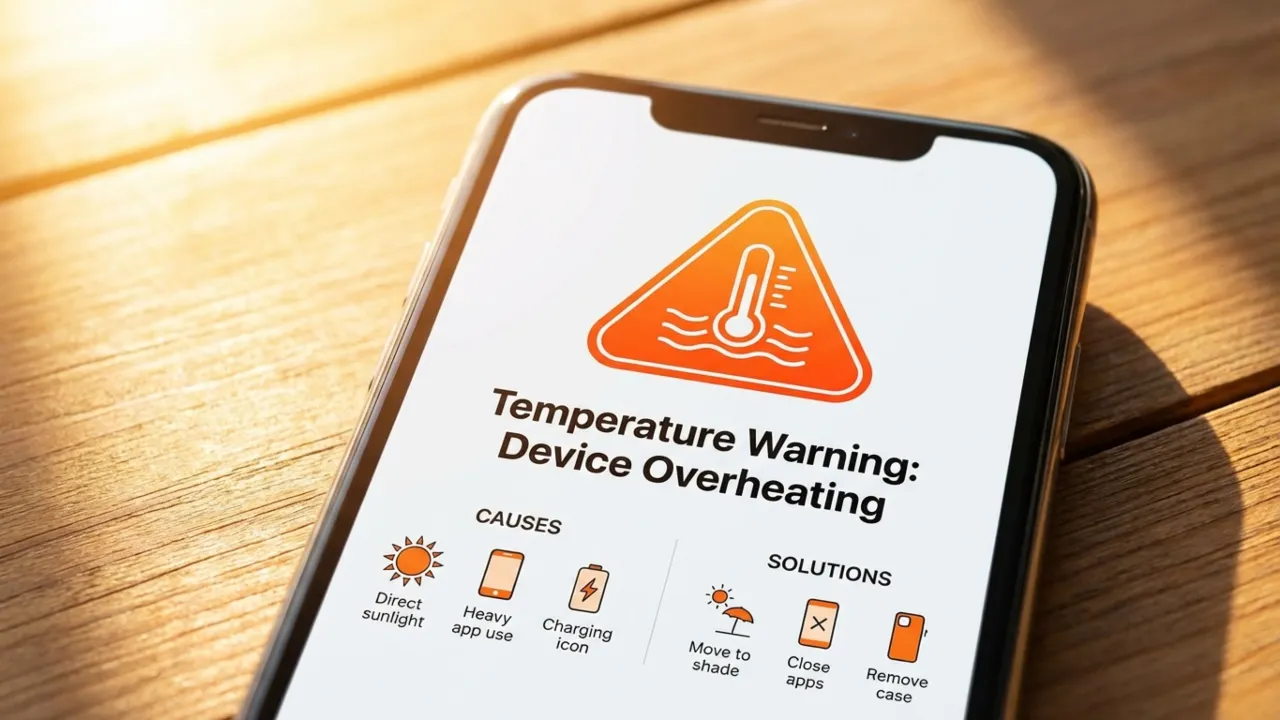
Smartphones work best between 0°C and 35°C (32°F to 95°F). Once you push past that upper limit, the device enters a self-preservation mode. It will dim the screen, throttle the processor, and slow down the charging speed to shed heat. If the internal temperature continues to climb, the phone will force a complete shutdown to avoid permanent hardware damage.
Heat is an inevitable byproduct when electricity moves through circuits. You will notice that the phone gets hot during a long photo session or when you scroll through social feeds, and that’s normal for any high-end piece of hardware. But there’s a difference between warmth and actual overheating. The problem is when your device runs hot nonstop, even during light tasks like texting, likely due to a bad battery or a power hungry app.
Read: How to Block Spam Calls on Android
Why is My Phone So Hot? The 8 Most Common Reasons
1. Power-Hungry Apps and Gaming
Modern phones are miniaturized supercomputers, and they get hot when you push them hard because they lack a cooling fan or a way to breathe. If you play 3D games, film your cat in 4K video, or use GPS for an hour, it forces the processor to run at full tilt. You might see temperatures climb past 120 degrees during a long video call. That’s the price of admission for having the whole internet in your palm.
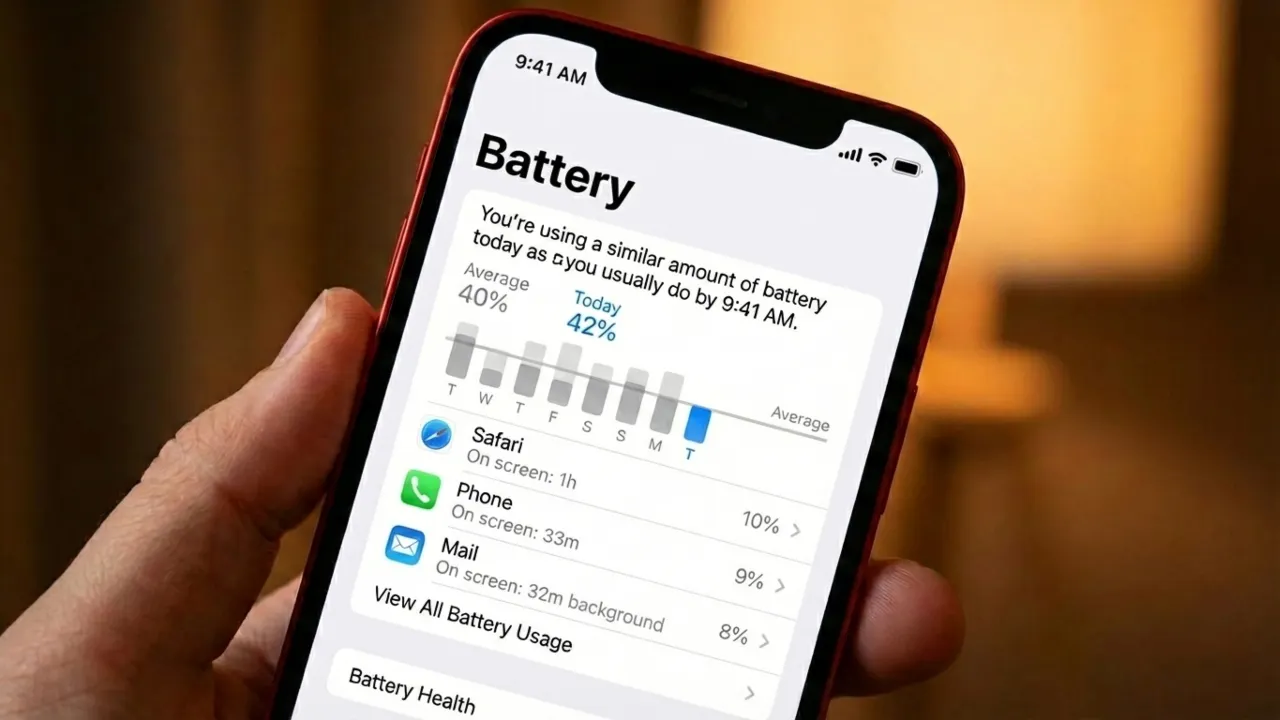
This heat is normal while the screen is active, but the device should cool down the second you stop. A phone that remains hot when not in use is usually a sign that something under the hood has gone sideways. Check its battery settings to find the culprit. Both iPhone and Android menus show which apps eat the most power. If an app you barely use sits at the top of that list, it’s likely malfunctioning.
2. Too Many Active Background Apps
Don’t leave dozens of apps open on your phone for no reason. You don’t need Hinge, Instagram, and a mobile game eating resources when you don’t use them. Every idle application eats into RAM and drains the battery fast. Outdated software creates even more problems. Developers release updates to optimize resource management and fix memory leaks that slow performance. If you ignore these patches, the device might overheat and struggle to keep up with even a simple task. Set your apps to update automatically so they are always up to date.
Many apps continue to refresh data, sync emails, or track locations even after you swipe them away. To stop this on an iPhone, go to Settings > General > Background App Refresh and turn the feature off. On Android, tap Settings > Apps, select a specific app, tap Battery, and choose “Restricted” to limit its background activity.
3. Hot Environments and Direct Sunlight
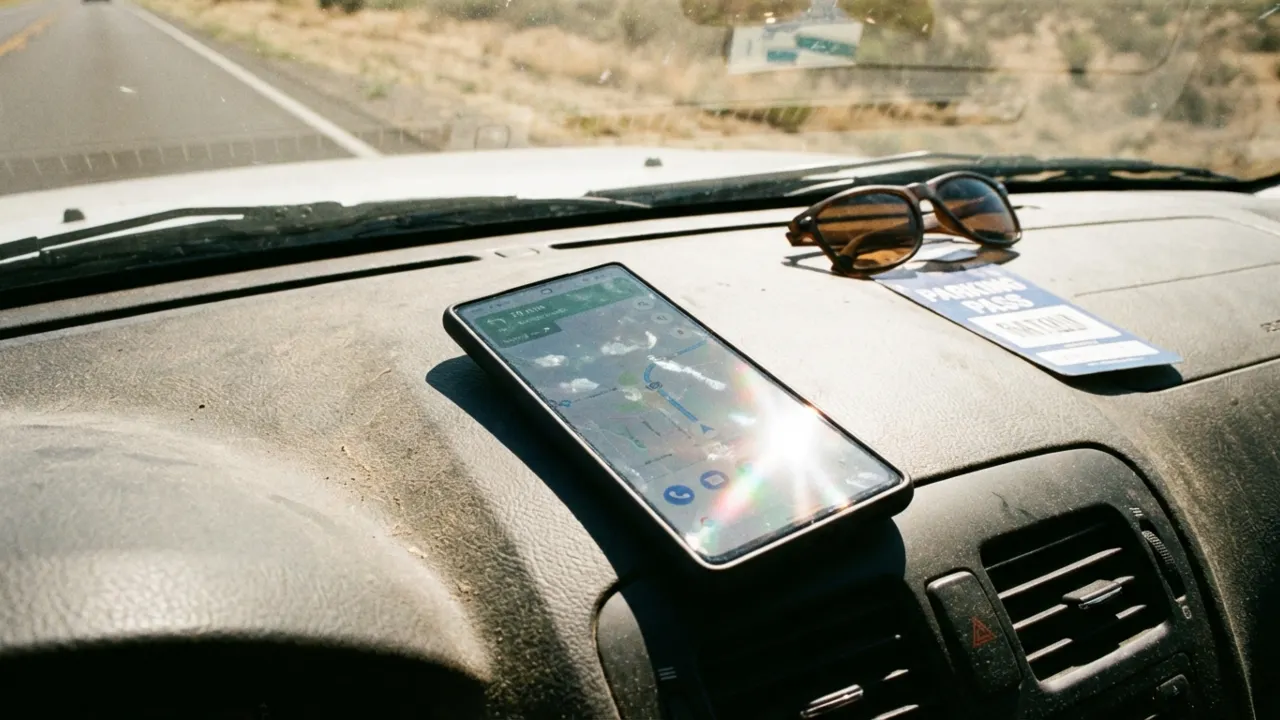
If you leave your phone on a car dashboard, sunny windowsill, or concrete in direct sunlight, it’s one of the fastest ways to turn a $1000 piece of kit into an expensive brick. The glass and metal components absorb heat like a mini oven, and the internal parts suffer for it.
Repeated heat exposure accelerates chemical breakdown inside lithium-ion cells and reduces their capacity to store electrical charge over time. Once critical thermal thresholds are reached, you’ll see an emergency temperature alert before the system forces a protective power-off to prevent a total meltdown. When that happens, move immediately to a temperature controlled area and power down if possible.
4. Charging Problems
Charging naturally generates heat, but it becomes a problem with faulty chargers, damaged cables, or wireless charging. The five-dollar gas station cables or cheap, uncertified charger usually lack the smarts to regulate power properly. You also shouldn’t charge your phone on a bed or a pillow. Soft surfaces act like a cozy blanket for the heat and trap it instead of letting it escape; use a table or a nightstand so the air can vent.
Everyone loves a good distraction, but try not to play heavy games or stream HD content while the phone is plugged into a wall. It will force the battery to pull power in and release it at the same time, so it generates a large amount of heat. Wireless charging also runs hotter than a standard cable since it loses much energy in the transfer. Make sure the charging port stays clean too, because pocket lint jammed in the port creates a lot of resistance. Stick with a quality brand and give your gadget some breathing room while it juices up.
5. Weak Cellular or Wi-Fi Signal
When reception is spotty, your phone’s antenna works overtime trying to lock onto a connection. This high-powered searching generates massive heat and destroys battery life as your phone pumps more energy into its radios. If you’re stuck somewhere with a weak signal, switch to airplane mode, which will stop the fruitless searching and let your phone cool down.
6. Outdated Software and Buggy Apps
That “Update Available” notification you keep dismissing? It matters. Ignoring software updates creates problems. When apps or operating systems get buggy, they can get stuck in the invisible loops that force the CPU to work hard for no reason. This extra workload creates heat and affects battery life. Developers use updates to deliver patches that improve efficiency and hardware management.
7. Malware (Especially on Android)
If your phone overheats for no obvious reason and the battery life tanks, investigate malware. Malicious apps secretly turn your phone into a workhorse for criminals, and all that behind the scenes activity generates a lot of heat. These malicious apps hijack your device’s processor to run heavy operations in the background that you don’t realize.
Here’s what different types of malware do to the phone’s temperature:
- Cryptojackers: Some apps mine cryptocurrency, a process called cryptojacking that thrashes the chipset. In fact, these attacks reportedly increased by 659% in 2023. The only clues are a strangely hot device and sluggish performance, but on some Androids, it can even cause the battery to swell.
- Spyware: Regularly tracks GPS, records activity, and sends your data back to attackers. This continuous background processing overheats the hardware.
- Aggressive Adware: Repeatedly loads and renders intrusive pop-ups, and all that loading takes a toll, consuming resources and generating heat.
- Trojans: These hide inside harmless-looking apps. Some max out the processor to the point of causing a battery bulge or permanent damage to the gadget.
- Ransomware: Creates a huge heat spike because the process of encrypting every single photo and document is an incredibly heavy task for the processor.
- Botnets: Your phone gets recruited into a network of compromised devices and used for DDoS attacks or spam campaigns. You won’t notice a thing, except the warmth.
Android users are more exposed because the system lets you install third-party apps from outside the official app store. So it’s recommended to keep a reputable antivirus app that can spot shady behavior in real time and catch malicious programs after installation. iPhones have to deal with browser-based scripts that try to mine crypto or phishing links.
8. Aging or Damaged Battery
If the software seems clean, check the hardware. Batteries don’t last forever. An aging or damaged battery has to work way harder to hold a charge, and that struggle creates excessive heat. If you’ve had the phone for a few years and it’s getting hotter by the month, the battery is probably at the end of its life.
How to Stop Phone from Overheating: 6 Tips to Cool Down a Hot Device
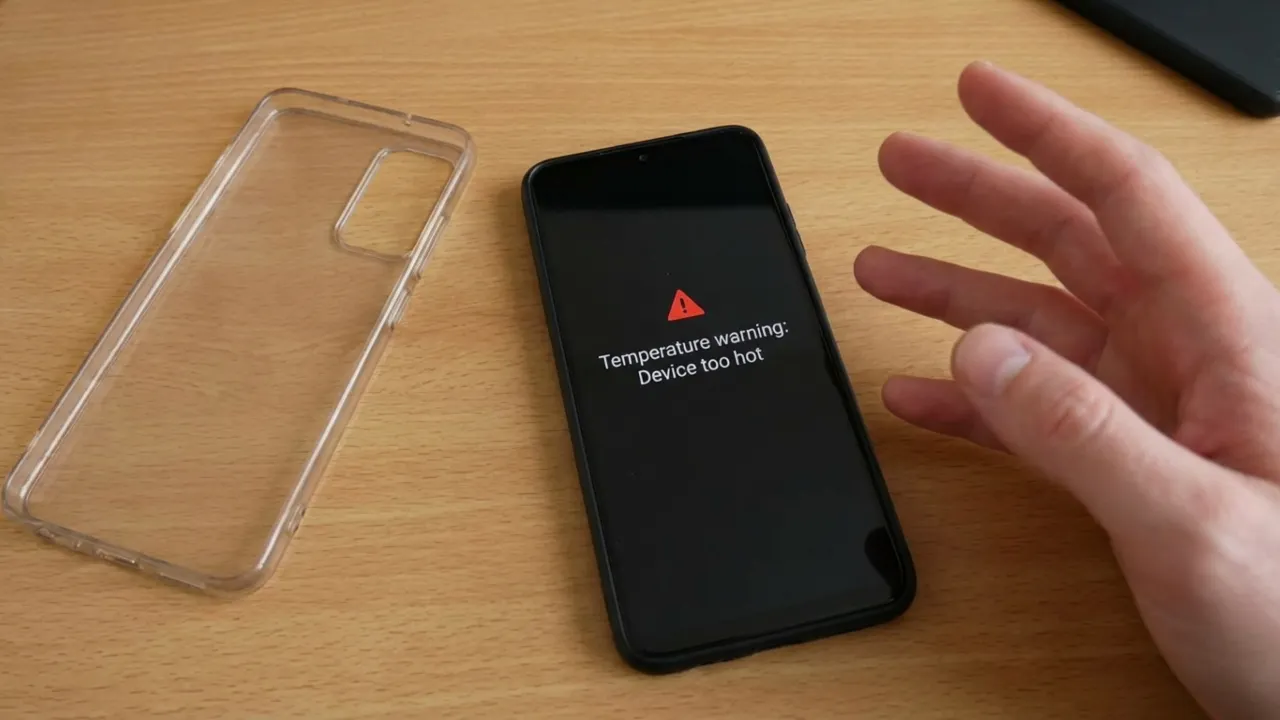
- Take Off Its Case: A thick phone case, especially a rubber or plastic one, is like a winter jacket that traps heat. Remove it, and the chassis can release heat the way it’s supposed to.
- Move it to a Cool, Flat Surface: Move the device out of direct sunlight and into a well-ventilated area. Place it on a hard, cool surface like wood or stone to allow heat to dissipate. You can also fan it to increase airflow.
- Unplug the Charger: Charging naturally generates a lot of internal friction and warmth. If your phone is overheating while plugged in, disconnect the power and let it cool to room temperature before resuming the charge.
- Kill Heavy Apps: Games, video streaming, and GPS navigation are processor hogs. Close these apps when they aren’t in use to give the hardware a break.
- Turn on Airplane Mode: This is a quick way to kill Wi-Fi, Bluetooth, and cellular radios all at once. It stops the antenna from burning through power while it searches for a signal, which takes a big load off the battery.
- Lower Screen Brightness: The screen is one of the biggest power drains on the device. Drag the brightness slider down as low as you can stand to reduce the workload and help the mobile cool off.
What to Avoid
Don’t put it in the refrigerator or freezer. Subjecting a hot phone to extreme cold causes sudden thermal shock. It creates condensation and moisture inside the device, which will short-circuit the logic board and permanently destroy the hardware. Water and electronics are a recipe for a dead device.
Don’t blast it with AC. Holding the device directly against a freezing air vent carries the exact same condensation risk as the freezer. It’s a bad idea.
Don’t use phone cooler apps. These programs are useless and often harbor malware. They don’t address the underlying causes of heat; instead, they run background processes, display advertisements, and steal your data, which increases the load on hardware and further worsens the temperature issues they claim to solve.
Read: Don’t Use Pattern Lock to Secure Your Android Phone: Here’s Why
How to Prevent Your Phone from Getting Hot
- Keep System and Apps Updated: Turn on automatic updates to receive effective improvements and security patches. Keeping your system and apps up to date reduces unnecessary processor strain.
- Clean Up Your Apps: Clear out the digital clutter. Even apps you never open can run background processes that eat up resources and generate heat. Make a habit of regularly closing apps when you’re done using them and deleting the ones you don’t use.
- Use Battery Saving Modes: Low Power Mode on iPhone, Battery Saver on Android automatically reduces background activity and dials back screen performance, which keeps the heat output much lower throughout the day. Less work, less heat.
- Charge Smart: Always charge on elevated surfaces with airflow, and keep the port free of lint and debris that creates resistance. Always use manufacturer-approved or certified chargers, like MFi-certified cables for Apple. On Android, turn off Fast Charging in settings; charging at a slow rate keeps the temp under control.
- Audit Battery Usage: Check your phone’s battery stats to identify and eliminate apps with abnormal drain behavior. Force close any high-drain apps in the background that you haven’t actively used.
- Avoid Extreme Temperatures: Don’t leave the phone on the dashboard of a hot car or roasting on a sunny windowsill. When you’re out and about in the high temperatures, keep it in bags or pockets.
When to Get Professional Help
Take your phone to a technician if:
- It stays hot when idle.
- The battery drains fast, or the device shuts down unexpectedly.
- Performance is slow with no clear cause.
- The case feels hot within 20 minutes of light use like texting.
- You have tried all the troubleshooting steps, but with no success.
These symptoms could indicate failing batteries, internal hardware malfunctions, or malware that needs professional diagnosis. It’s always better to get it checked sooner to prevent more expensive damage down the road. You could try a factory reset as a last resort, but back up all data first. Photos, messages, and account-linked apps will stay safe in the cloud, but double check that your individual apps save their data before you reset the phone.