

- Do You Know Your Earbuds Type?
- What You Need to Clean
- How to Clean In-Ear Earbuds
- 1. Remove & Soak Silicone/Foam Tips
- 2. Clean Mesh Grilles
- 3. Wipe Down the Body
- 4. Clean the Charging Case
- How to Clean Over-Ear Headphones
- Foam or Leather Ear Pads
- Headband
- Wired Cable
- What Not to Do to Avoid Your Earbuds from Being Damaged
- How Often Should You Clean Earbuds or Headphones
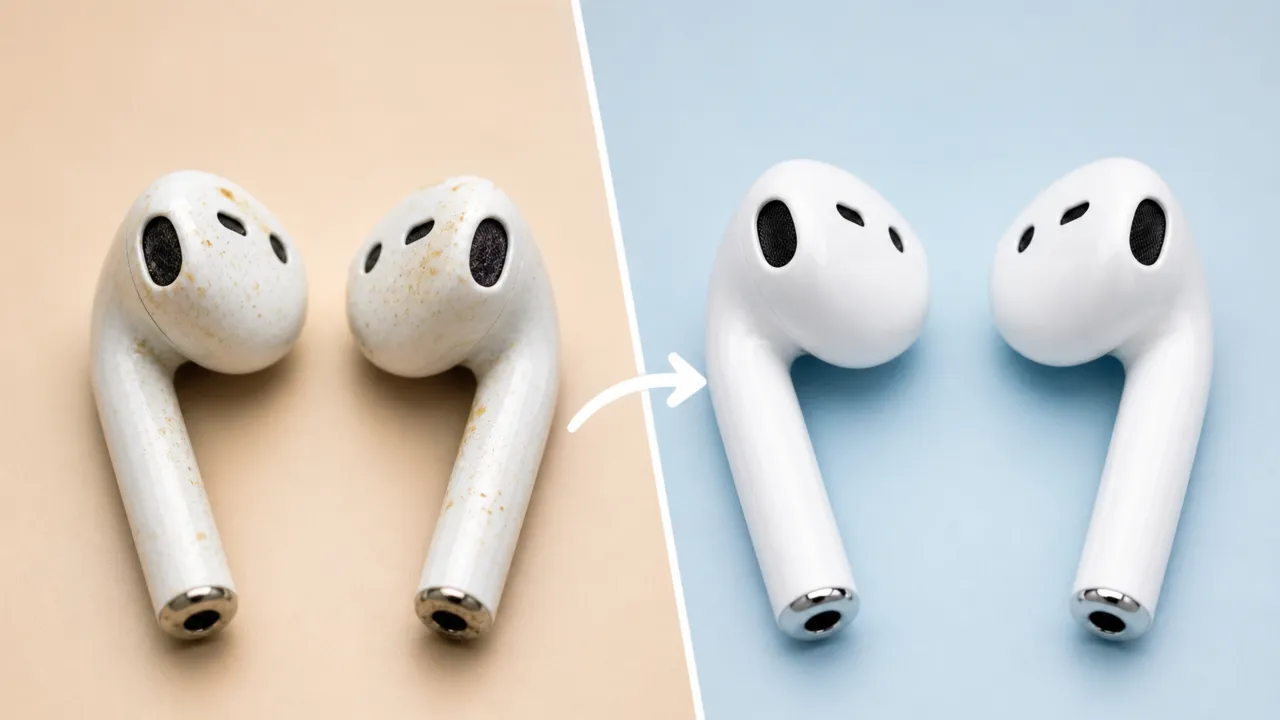
I’ll admit it—I hadn’t cleaned my earbuds for months. When I finally held my daily drivers up to the light and took a close look, the mesh grilles were clogged with yellowish wax, the silicone tips looked smeared and discolored, and inside the charging case, dark gunk clung to the contacts. I was horrified and embarrassed at the same time that I had been putting that filth into my ears every single day.
The reality is worse than the sight. According to a Florida ENT specialist, “headphones are home to about 2,708 times more bacteria than the average cutting board. They have six times more bacteria than a kitchen sink.” A North Carolina State University microbiologist, Michael Taveirne, found Staphylococcus and Pseudomonas on multiple headphone sets he swabbed, both of which can cause infections under the right conditions. I was rattled when I learned I’d been treating my ears worse than countertops.
But bacteria alone won’t necessarily make you sick. The danger peaks when ill-fitting buds force you to adjust them regularly, scraping your ear canal in the process. Add the morning workout sweat, the trapped moisture of a three-hour commute, and you’ve created perfect conditions for bacteria to flourish. Physicians report a steady uptick in earbud-related issues: infections, tinnitus, and hearing loss caused by the concentrated pressure of prolonged, loud exposure in the ear canal.
Also: Can You Connect AirPods to PS4? If Yes, Then How
Beyond the gross-out factor, poor hygiene ruins your listening experience. Debris physically clogs the fine acoustic grilles, causing your audio volume to drop and the sound channels to feel completely blocked. Don’t worry, restoring earbuds or headphones to a clean state takes maybe ten minutes using only what you already have at home. The grime is avoidable. You have to look at it.
Do You Know Your Earbuds Type?
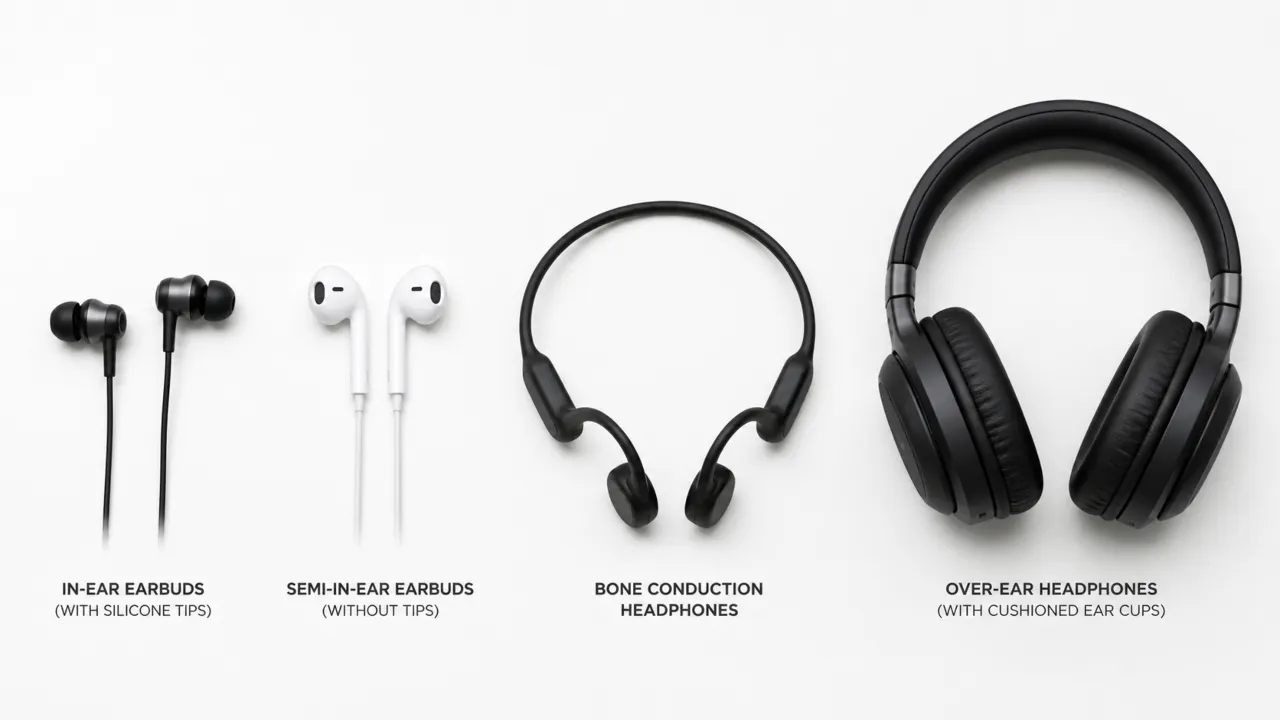
Before you pick a cloth to wipe buds down, figure out exactly what you are about to clean. Earbuds or headphones come in different designs and builds that need specific methods, and once you know the difference, it will save you a lot of trouble.
- In-ear earbuds (like AirPods Pro, Sony WF series) use silicone or foam tips that sit directly in the ear canal. They collect the most wax and demand the most attention. The mesh grilles over the drivers are particularly prone to impacted buildup that muffles sound over time.
- Semi-in-ear earbuds rest at the entrance of the canal without the extra tips. They have fine metal grilles that trap oil and fine dust particles. It’s fiddly work, but you have to clear that out, as it’s often harder to remove than the chunky wax on other models.
- Open-ear and bone conduction headphones stay outside the ear canal, so wax isn’t really an issue. You’ll mostly deal with sweat on the frame and the occasional oxidation on the charging contacts.
- Over-ear headphones have foam or leather ear cushions that accumulate skin oils, sweat, and dead skin. These should be treated completely different than earbuds. Use soap and water on the pads, but keep the alcohol away.
What You Need to Clean
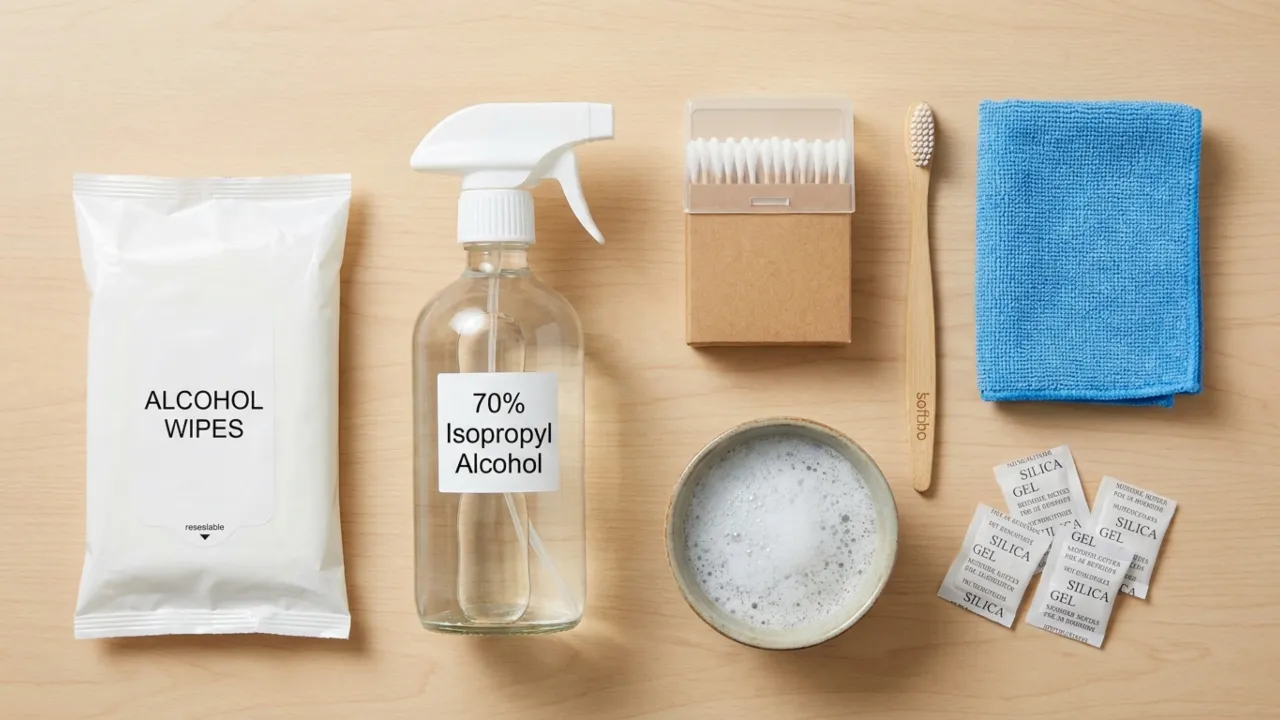
You don’t need any fancy gear to get your earbuds back in good shape. These are the things you need that are commonly available in houses:
- Alcohol-free disinfectant wipes. Safe on silicone, rubber, and plastic because they won’t strip off any coatings. These are the everyday workhorses for surface cleaning.
- 70% isopropyl alcohol wipes. More powerful for disinfection, but use carefully and sparingly. Avoid prolonged contact with foam or rubber, as it can degrade the materials over time.
- Soft-bristle brush. An old toothbrush does the job, though a precision brush from tech kits is even better for fine grilles as it reaches deep into the crevices.
- Cotton swabs (Q-tips). Required to clean charging ports, case interiors, and tight corners. They reach the narrow gaps where brushes fail.
- Microfiber cloth. A lens cloth from a glasses case is perfect—it won’t scratch and reduces static buildup.
- Mild dish soap and warm water. To soak silicone tips and clean over-ear cushions.
- Silica gel packets. Keep one in your gym bag with earbuds inside. Once placed next to buds, it absorbs the residual moisture after a gym session before it can reach the internal electronics.
Someone might tell you that you can use isopropyl alcohol, but it strips the finish off delicate surfaces. If you must use it, dilute the solution with water first. Apply a small amount to a lint-free cloth and don’t dab it directly.
Also: AirPods Microphone Not Working? Here’s How to Fix
How to Clean In-Ear Earbuds
Either you have standard in-ear models or semi-in-ear designs with fine metal grilles, you need to be careful getting the grime out. This is the full process for the most common earbud type, so work through these steps one after the other.
1. Remove & Soak Silicone/Foam Tips
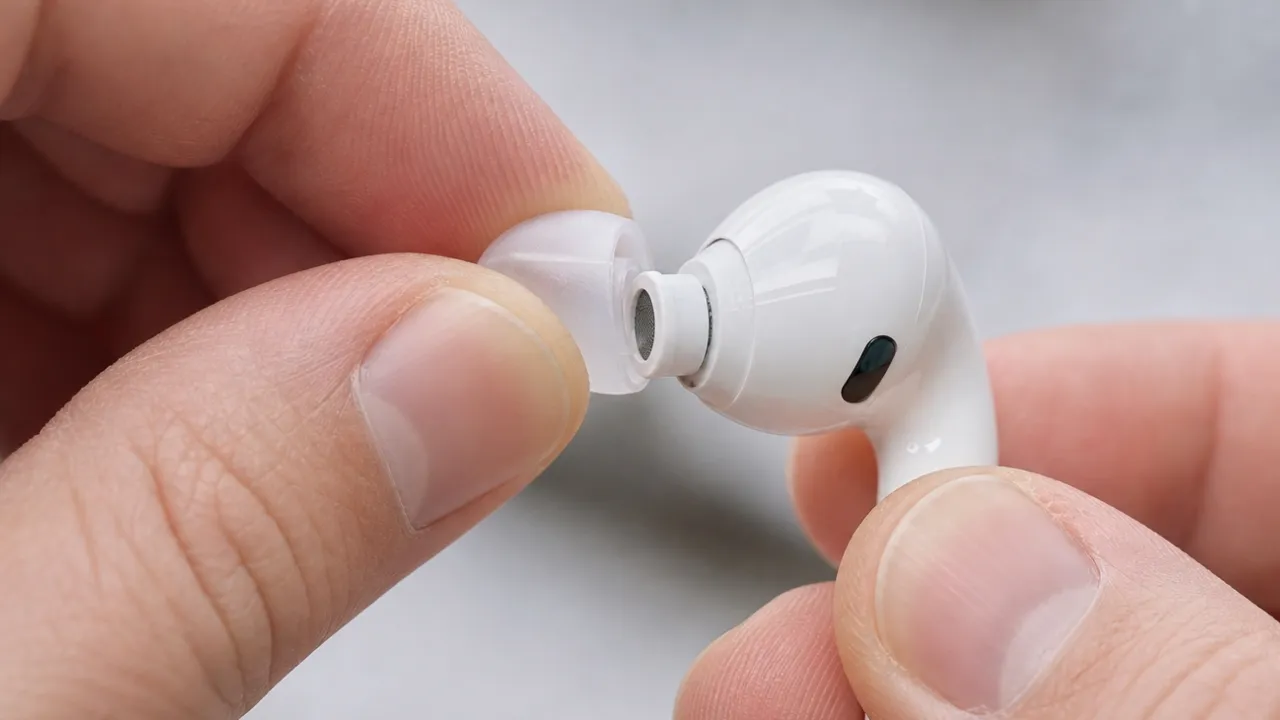
Pull off the removable silicone ear tips and drop them into a bowl of warm, soapy water to soak for at least 30 minutes. Make sure the soap doesn’t have any moisturizers, which can leave a film. If a tip sticks, give it a little twist instead of yanking it straight off.
Always dry the silicone parts thoroughly before you attempt to reattach them. Wet tips are one of the most common ways moisture gets inside the driver housing. If your tips are foam, do not soak them because foam degrades and loses its seal when waterlogged. Wipe foam tips with a barely damp cloth instead.
2. Clean Mesh Grilles
Hold the earbud so the mesh points down; gravity will help pull loose debris away from the driver. Pick a soft brush and flick it across the mesh in short strokes to sweep wax and debris off the mesh surface. No need to press hard; the bristles will do the work.
For stubborn impacted wax, use a slightly damp cotton swab to gently loosen it, then brush it off. For final disinfecting, use a swab with a little isopropyl alcohol and wipe the mesh, then let it air dry before putting the earbud back together.
3. Wipe Down the Body
Take an alcohol-free disinfectant wipe and give the earbud body (plastic, touch areas, stem) a good scrub. Don’t soak it; just a firm wipe is enough. For hard-to-reach spots, use a dry Q-tip to get any leftover grime.
4. Clean the Charging Case
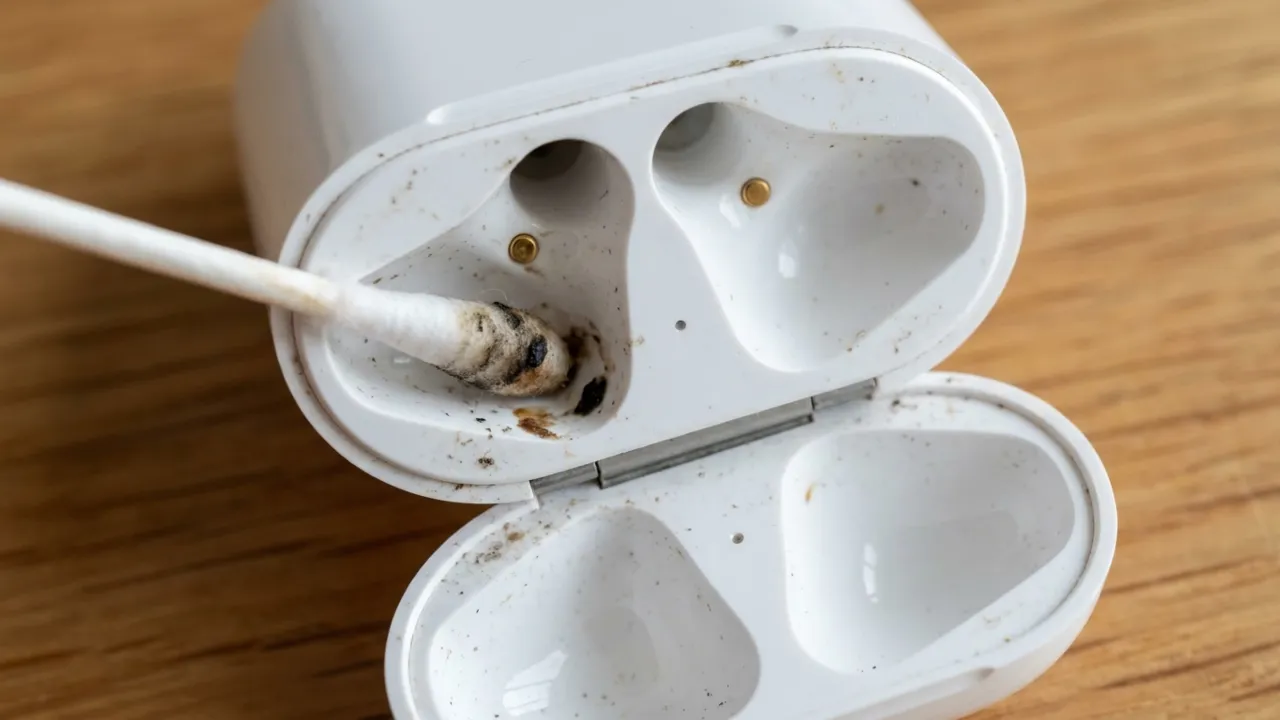
You’ve done all that work, don’t dump the buds into a dirty case. Putting clean earbuds in a filthy case will make them dirty again. Use a dry cotton swab to clean the inside of the case on the earbud placement spots and the charging contacts. If the gold pins look dull or have dark spots, a small amount of isopropyl alcohol on a swab will bring the shine back and keep the connection solid.
Wipe the outside of the case with a damp cloth or a wipe. To clean lint out of the charging port, carefully use a dry cotton swab or a wooden toothpick. Be sure to steer clear of metal objects, since they could damage the charging contacts.
How to Clean Over-Ear Headphones
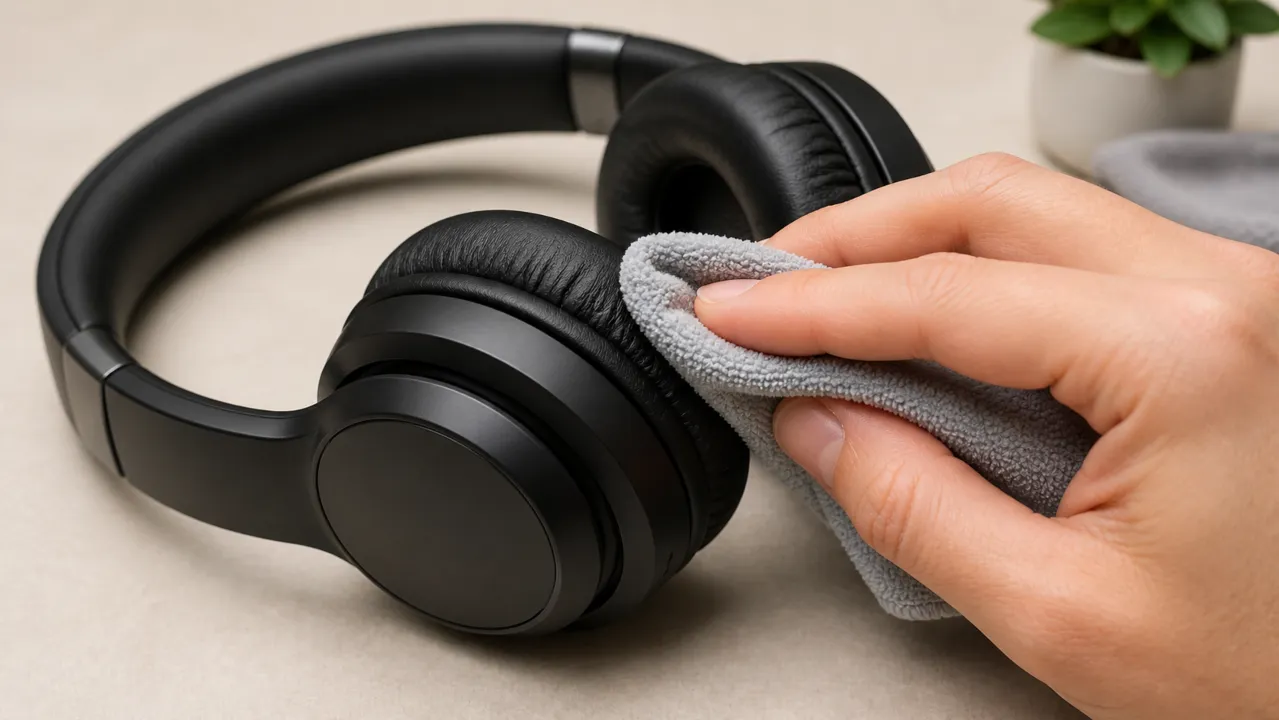
The ear cushions are the main concern for hygiene, and they need different care than the earbud hardware.
Foam or Leather Ear Pads
Never use alcohol on leather or leatherette pads, as it strips the coating and causes them to crack. Instead, use a cloth barely dampened with warm water and a drop of mild dish soap. Wipe gently in small circles, then follow with a dry cloth and let the pads air dry completely before the next use.
If your headphone’s foam pads are easily removable, detach them to scrub gently with soap and a toothbrush. Like the leather ones, make sure they get completely dry.
Headband
Wipe down the headband with a disinfectant wipe or a damp microfiber cloth. Pay special attention to the underside where it contacts your scalp, since that spot collects oil and people often miss it.
Wired Cable
If you have wired headphones, remember that these cables touch everything from your clothes to dusty tables. Wipe the whole cable down with a damp cloth, from the headphones to the jack. And if you see any dust in the port, a quick swipe with a dry Q-tip will clear it right out.
Also: AirPods Won’t Turn On? Here’s How to Fix
What Not to Do to Avoid Your Earbuds from Being Damaged
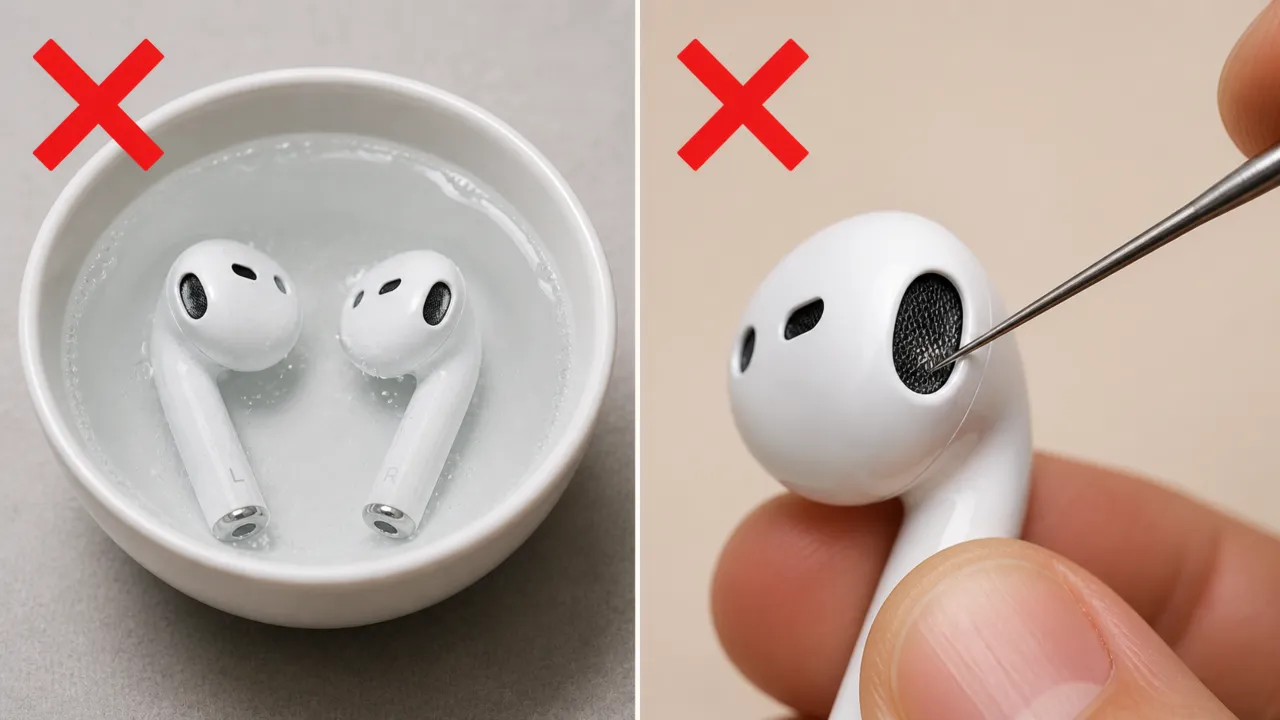
Never submerge your earbuds or headphones in any liquid. Your earbuds aren’t meant for a swim, no matter what. An IP55 or IP57 rating doesn’t make them waterproof. When you submerge them, moisture gets stuck behind the speaker mesh, which is nearly impossible to remove before damage has been done. If you oversaturated, toss the buds in a sealed bag with some silica packets and pray for the best.
The same goes for rinsing them under a faucet. Running water directly over earbuds forces water past seals that casual splashes would never breach.
Don’t use sharp tools like needles or pins to scrape mesh or bend the contacts. One puncture permanently destroys the acoustic membrane for good. I’ve seen too many people wreck perfectly good earbuds trying to dig out wax with a thumbtack.
Don’t plug in earphones while they’re still wet. Wait until everything is bone dry before charging because moisture on the contacts could cause a short circuit.
Skip the hairdryer. That kind of heat melts internal adhesives and damages batteries. Air drying takes longer, sure, but it won’t brick your gear. It’s better to let them dry naturally, even if it takes a while.
Avoid cleaning putty on fine mesh. It leaves sticky residue in the grilles that’s worse than the debris you were trying to remove.
How Often Should You Clean Earbuds or Headphones
Set a reminder to deep clean them every 3 months. If you wear them to the gym, grab a microfiber cloth right after each sweaty session and wipe away the moisture before it hardens into the crusty residue we all hate. Moreover, dry them immediately. Leaving sweat behind leads to minerals build up, and that gets way tougher to get rid of later. The simple “sweat‑then‑dry” habit can add years to an earbud’s life.
While you’re at it, spend a few minutes on your phone and laptop screens with the same cloth. Phone rests against your face all day, and the keyboard picks up everything your hands touch. It’s all part of the same hygiene loop—no point having spotless earbuds if they end up in a dirty phone jack.
Clean earbuds or headphones sound better, last longer, and won’t make you cringe when someone asks to borrow them.