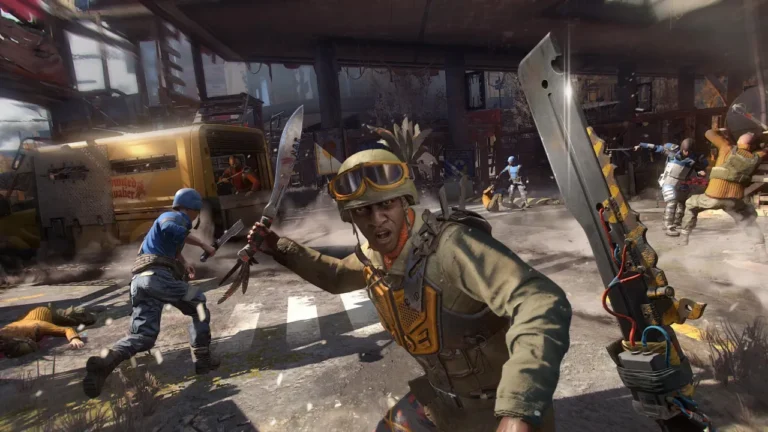
Dying Light 2 is developed for co-op action—rooftop chases, night-time Volatile runs, and four-player parkour across Villedor. Usually, the first question anyone asks: Is Dying Light 2 crossplay? Can we play with friends on different platforms? The short answer is no, Dying Light 2 doesn’t have full cross-platform play between PC, PlayStation, and Xbox. You want to dropkick zombies off rooftops with your squad, but modern gaming puts up invisible walls. Here’s everything you need to know about the crossplay limitations in Dying Light 2.
Is Dying Light 2 Crossplay?
No. Dying Light 2 does not support full cross-platform co-op. If you play on a PlayStation 5, you cannot invite or join a friend on an Xbox Series X/S or a PC. The multiplayer servers are strictly fenced off by the hardware family you use.

It’s a big missed opportunity for a game that thrives on intense 4-player co-op. Much like coordinating a synchronized attack on a monster, parkour challenges and nightrunner activities flow better when you don’t have to worry about which plastic box your friends own to play.
There’s one exception to the “no crossplay” rule, and it’s only for the PC crowd. If you purchased Dying Light 2 on Steam and your friends play it on the Epic Games, you can play together without restrictions. This is the only crossplay bridge in the game, though it’s not what most players want when they ask about this multiplayer support.
- Related: Is Rocket League Cross-Platform?
Will Dying Light 2 Have Cross-Platform?
I wouldn’t bet my Hunter Rank on it. Lead designer Tymon Smektała said in interviews that cross-platform support is a “complex technical challenge.” They haven’t ruled it out completely, but the game has been around for years. When a feature like this isn’t in the Day 1 pipeline or the Year 1 roadmap, it rarely arrives later since studios move on and focus shifts to new projects. For now, treat it as a non-feature. If they add it, it’s a bonus, but do not buy the game expecting a patch to add this soon.
In reality, expectations should be low. Dying Light 2 is many years old. Even though Techland still supports it, proper cross-platform inclusion would be a lot of work with maybe not much gain. Further, even Dying Light: The Beast was recently launched without cross-platform, which makes me think they might be saving crossplay multiplayer for future projects.
How Cross-Generation Works in Dying Light 2
Although cross-platform is off the table, Dying Light 2 does support cross-generation. You can squad up across console generations from the same manufacturers. Xbox One to Xbox Series X? Works fine. PS4 to PS5? No problem. At least they didn’t gate new hardware players from playing with their friends who haven’t upgraded consoles yet.

On PC, Steam and Epic players can play together, and this extends to Mac and Linux versions as well. So if your crew is spread across different PC storefronts, you still get a chance. Cross-gen wasn’t available at launch but was introduced later through updates. Once enabled, it works fine, and you won’t see major performance or stability issues. What you still can’t do is cross between console brands or console and PC.
Can You Transfer Saves Between Platforms?
No. Dying Light 2 does not support cross-save or cross-progression between platforms. If you started the game on PlayStation, its progression will only remain on PlayStation, and the same is for Xbox and PC saves. Even if you buy the game twice, you will have to start over unless the switched hardware is of the same platform family.
Is Dying Light 2 Co-op Still Worth It Without Crossplay?
If your friends are on the same platform, absolutely. Dying Light 2’s co-op has improved a lot since launch. Stability is better, activities are more cooperative, and Villedor’s journey in the squad is one of its biggest strengths.
But if your group is split across platforms, it’s tough to ignore the limitation. Dying Light is at its best with friends, so not being able to team up across systems feels outdated in 2026. Still, the game’s community is alive and well, with many active players on each platform. The co-op experience is strong, but the platform walls are what hold the title back.
Dying Light 2 System Requirements
Since PC is the only place with any kind of cross-game, you’ll want to make sure your gaming rig can handle the demands. The game’s very demanding, especially if you care about smooth parkour and high frame rates.
Minimum Specifications (Low Settings, 1080p, 30FPS):
- OS: Windows 10 or 11 64-bit
- CPU: Intel Core i3-9100 or AMD Ryzen 3 2300X
- RAM: at least 8 GB
- GPU: NVIDIA GTX 1050 Ti or AMD Radeon RX 560 (4 GB VRAM)
- Storage: 60 GB of free space
Recommended Specifications (High Settings, 1080p, 60FPS):
- OS: Windows 10 or 11 64-bit
- CPU: Intel Core i5-8600K or AMD Ryzen 5 3600X
- RAM: 16 GB
- GPU: NVIDIA RTX 2060 (6 GB) or AMD RX Vega 56 (8 GB)
- Storage: 60 GB SSD free space
If you are trying to coordinate a PC session, make sure everyone meets these benchmarks to avoid waiting on load screens.